


- What Is a Website Wireframe?
- Wireframe vs Mockup vs Prototype
- 5 Benefits of Wireframing a WordPress Site
- Planning Before You Wireframe
- How to Create a Wireframe for a WordPress Website
- Wireframing Tools (Free & Paid)
- Translating Wireframes into WordPress Designs
- 7 Best Practices for WordPress Wireframes
- Website Wireframe Examples & Inspiration
- Common Wireframing Mistakes to Avoid
- Conclusion
Building a WordPress website without a wireframe is like constructing a house without blueprints. You might end up with something functional, but it’s likely to have structural issues, cost overruns, and require expensive modifications down the line. A website wireframe serves as your digital blueprint, mapping out the structure, layout, and functionality of your site before any visual design or development begins.
If you are a digital agency scaling your WordPress services, understanding how to create effective website wireframes will save you time, money, and countless headaches. This comprehensive guide will walk you through everything you need to know about WordPress wireframes, from basic concepts to advanced implementation strategies.
What Is a Website Wireframe?

A website wireframe is a bare-bones visual representation of a web page’s structure and layout. Think of it as the skeleton of your website – it shows where each element will be positioned without getting distracted by colors, fonts, or final imagery. Wireframes focus purely on functionality, content hierarchy, and user experience flow.
The primary purpose of wireframing is to establish the foundation of your site’s architecture before investing time and resources in visual design. It’s during this phase that you determine where your navigation menu sits, how your content flows, where call-to-action buttons are placed, and how users will interact with your site across different devices.
2 Types of Wireframes
Website wireframes typically fall into two main categories:
Low-fidelity wireframes are simple, often hand-drawn sketches that focus on basic layout and content placement. These are perfect for initial brainstorming sessions and client discussions, as they’re quick to create and easy to modify.
High-fidelity wireframes are more detailed digital representations that include specific measurements, precise element positioning, and sometimes even interactive elements. These are typically created after the basic structure has been approved and serve as a more detailed guide for developers.
How Wireframes Fit Into the WordPress Design Process
Understanding how wireframes integrate into your WordPress development workflow is essential for maximizing their effectiveness. The typical process follows this sequence:
- Discovery and planning – Define goals, audience, and content strategy
- Wireframing – Create structural layouts and user flow
- Design – Add visual elements, branding, and styling
- Development – Build the WordPress site based on approved designs
- Testing and launch – Ensure functionality across devices and browsers
Understanding how wireframes fit into the broader website design process is crucial. They bridge the gap between initial concept and final design, serving as a communication tool between designers, developers, and clients. In WordPress development specifically, wireframes help determine which themes might work best, how custom post types should be structured, and how page builders like Elementor or Gutenberg blocks should be organized.
WordPress Web Design Agency
Partner with our white label WordPress web design agency for custom, scalable solutions. We design, develop, and maintain websites tailored to your clients.
Wireframe vs Mockup vs Prototype
One of the most common sources of confusion in web design is understanding the difference between wireframes, mockups, and prototypes. Each serves a distinct purpose in the WordPress development process, and knowing when to use each will streamline your workflow significantly.
| Stage | Purpose | Detail Level | Best For |
| Wireframe | Structure & Layout | Low to Medium | Planning content hierarchy, user flow, basic functionality |
| Mockup | Visual Design | High | Showing colors, fonts, images, branding elements |
| Prototype | Interaction & Function | Variable | Testing user interactions, navigation flow, form submissions |
Wireframes are your structural foundation. They answer questions like “Where does the main navigation go?” and “How should the content be organized?” but they don’t address visual design elements.
Mockups take your approved wireframe and add the visual layer – your brand colors, typography, actual images, and styling. This is where your WordPress site starts to look like the finished product.
Prototypes add functionality to your mockups, allowing you to test how users interact with elements like dropdown menus, contact forms, or shopping cart functionality.
In WordPress projects, you might create a wireframe to plan your homepage layout, develop a mockup to show how it looks with your client’s branding, and then build a prototype to test how the contact form and navigation work before final development begins.
5 Benefits of Wireframing a WordPress Site
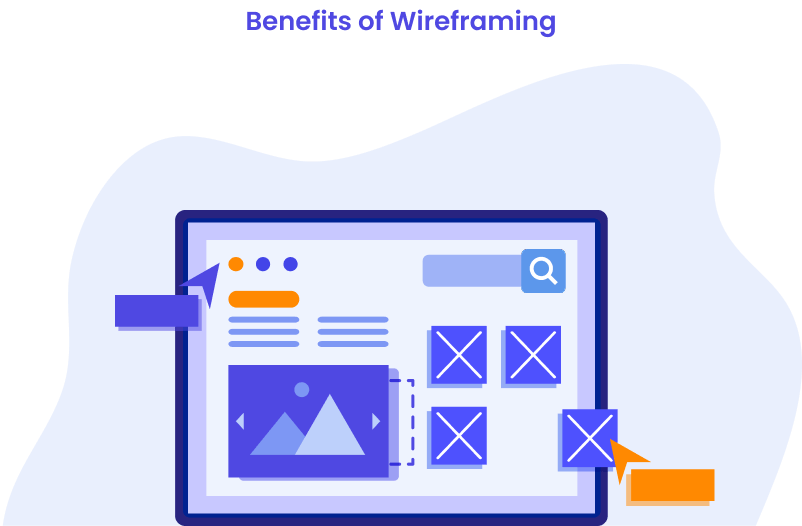
Wireframing offers numerous advantages that become even more pronounced when working with WordPress websites. The platform’s flexibility can actually become a challenge without proper planning, as the abundance of themes, plugins, and customization options can lead to decision paralysis or inconsistent design choices.
The key benefits of wireframing WordPress sites include:
- Enhanced collaboration – Clients can focus on functionality and content flow without getting distracted by design elements, leading to more productive feedback sessions and fewer revision cycles
- Better theme selection – Choose WordPress themes based on structural compatibility rather than visual appearance alone
- Streamlined page builder implementation – Organize sections and elements logically before building in Elementor, Gutenberg, or other page builders
- Early problem identification – Discover potential technical limitations before development begins
- Clearer project scope – Prevent scope creep by establishing structural boundaries upfront
Wireframes also help identify potential technical limitations early in the process. For example, if your wireframe calls for a complex filtering system on a product page, you can research and select appropriate plugins before development begins, rather than discovering limitations after the design is complete.
Planning Before You Wireframe
Effective wireframing begins long before you open your design software. The most successful WordPress projects start with thorough planning that considers user needs, business goals, and technical requirements. Skipping this planning phase is like starting a road trip without knowing your destination – you might end up somewhere interesting, but it probably won’t be where you need to go.
Essential Pre-Wireframing Steps
Before creating your first wireframe, complete these foundational steps:
- Define primary user personas – Who will visit this site and what are their main goals?
- Establish business objectives – What actions should visitors take? Contact forms, purchases, newsletter signups?
- Audit existing content – What content exists, what needs to be created, and how should it be organized?
- Research competitor sites – What layout patterns work well in your industry?
- Plan your site architecture – Create a sitemap showing all pages and their relationships
Content Strategy Development
Content strategy development should happen parallel to your initial planning. You need to understand what content you’re working with before you can determine how to structure it. This includes identifying the types of pages needed, the volume of content for each section, and how content will be organized and categorized.
For WordPress sites, this planning phase helps determine whether you’ll need custom post types, specific taxonomies, or particular plugin functionality. Consider how your content will be managed long-term and ensure your wireframe supports easy content updates by non-technical users.
UX and Technical Considerations
Several critical factors must be addressed during planning:
- Mobile-first design approach – With mobile traffic exceeding 50% globally, prioritize mobile layouts first
- Accessibility requirements – Plan for proper heading hierarchy, sufficient color contrast, and keyboard navigation
- WordPress theme compatibility – Research how potential themes handle responsive design and custom layouts
- Plugin requirements – Identify necessary plugins early to understand their impact on layout and functionality
How to Create a Wireframe for a WordPress Website

Creating effective website wireframes for WordPress projects requires a systematic approach that balances creative planning with technical considerations. The process should be iterative, allowing for refinement and improvement as you better understand the project requirements.
Step-by-Step Wireframing Process
Follow this systematic approach to create an effective WordPress wireframe:
- Start with rough sketches – Use pen and paper or simple digital tools to explore different layout options without getting caught up in details
- Choose layout patterns – Select appropriate structures based on your content needs:
- Single-column layouts for focused content and landing pages
- Two-column layouts with sidebars for blogs and informational sites
- Multi-column layouts for complex information architecture
- Position key elements strategically: Header with clear navigation and branding; Hero section communicating primary value proposition; Call-to-action buttons placed naturally within user flow; Forms positioned logically within content progression
- Plan responsive behavior – Consider how elements will adapt across screen sizes rather than treating mobile as an afterthought
- Include WordPress-specific elements – Plan placement for search functionality, blog post displays, social sharing buttons, and any e-commerce features
Wireframing Tools (Free & Paid)
Selecting the right wireframing tool can significantly impact your productivity and the quality of your final wireframes. The tool you choose should align with your skill level, project complexity, and collaboration needs. While some designers swear by specific tools, the best wireframing tool is ultimately the one that helps you communicate your ideas effectively and efficiently.
| Tool | Price | Key Features | Best For |
| Figma | Free | Excellent collaboration, real-time editing, robust free tier | Teams and collaborative projects |
| Adobe XD | Free starter plan | Seamless Adobe ecosystem integration, prototyping features | Agencies using Adobe Creative Suite |
| Pencil Project | Free (Open-source) | Desktop application, built-in UI elements | Budget-conscious solo designers |
| Balsamiq | $9/month | Deliberately rough appearance, keeps focus on structure | Client presentations and early-stage planning |
| Sketch | $10/month | Mac-only, extensive plugins, WordPress UI kits available | Mac users needing advanced features |
| Moqups | $13/month | Good feature balance, strong collaboration tools | Small to medium agencies |
WordPress-Specific Wireframing Options
Some designers prefer using WordPress’s own tools for wireframing:
- Elementor’s wireframe mode – Create layouts directly in WordPress environment
- Gutenberg block patterns – Use WordPress blocks to create rough layouts
- Page builder wireframe templates – Many page builders include wireframe starter templates
Choosing the Right Tool
Consider these factors when selecting your wireframing tool:
- Team collaboration needs – How many people need access and editing capabilities?
- Budget constraints – Balance features with cost for your business model
- Learning curve – Consider time investment required to become proficient
- Integration requirements – How will wireframes connect to your existing design workflow?
- Export capabilities – Can you easily share wireframes with clients and developers?
Translating Wireframes into WordPress Designs
The transition from wireframe to functional WordPress website is where many projects encounter challenges. A well-planned translation process ensures that your wireframe’s structural integrity is maintained while adapting to WordPress’s specific capabilities and limitations.
Key Implementation Strategies
Understanding Theme Architecture. Different WordPress themes handle wireframe implementation in various ways. Research your chosen theme’s capabilities before finalizing wireframe details to ensure compatibility and efficient development.
Page Builder Adaptation. Page builders like Elementor, Gutenberg, and Divi use section-based layouts. Organize your wireframes to align with these frameworks:
- Structure content in logical sections that translate to page builder modules
- Consider element spacing and column layouts as supported by your chosen builder
- Plan responsive behavior within the page builder’s capabilities
- Account for any limitations in custom styling or layout options
Planning for Content Management
Your wireframe implementation should support easy content management by non-technical users:
- WordPress content patterns – Use standard post types, custom fields, and media management practices
- User-friendly editing – Ensure clients can easily update content without breaking layouts
- Content flexibility – Plan for varying content lengths and types
- Media management – Consider how images, videos, and downloads will be organized
Custom Development Considerations
When wireframes require functionality beyond standard themes and plugins, plan for custom development early in the process. Common custom requirements include unique navigation patterns, complex filtering systems, or specialized content layouts that require additional development time and budget.
The key to successful translation is maintaining ongoing communication between designers and developers throughout the process. Developers should review wireframes before implementation begins, and designers should be available to clarify intentions and make adjustments as technical realities emerge.
Dedicated team
Scale your agency with a dedicated WordPress developer. With great communication, we make sure to keep your builds on track and on time.
7 Best Practices for WordPress Wireframes
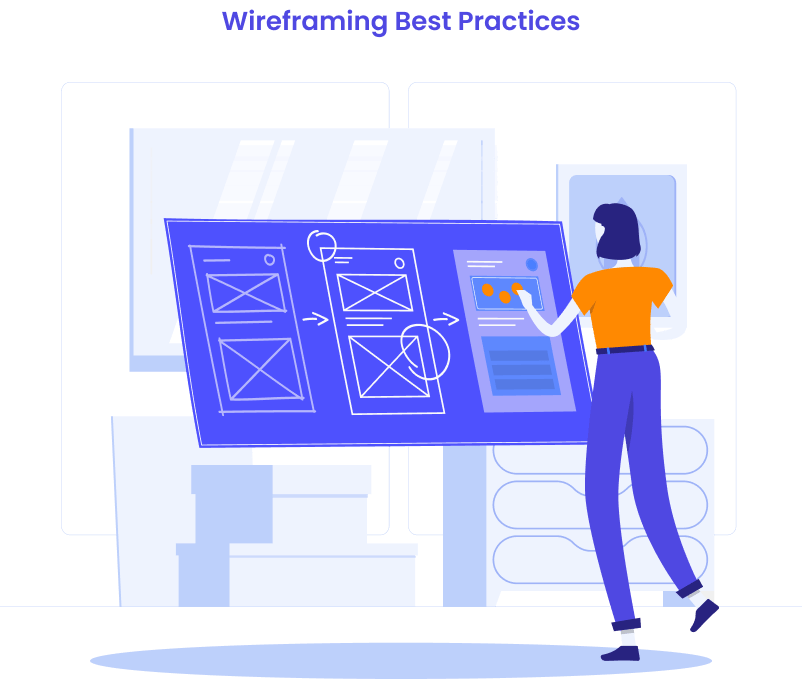
Creating effective WordPress wireframes requires following established best practices while adapting to the unique aspects of WordPress development. These practices, refined through years of successful projects, help ensure your wireframes lead to successful website launches.
1. Maintain a content-first approach throughout your wireframing process. WordPress is fundamentally a content management system, so your wireframes should prioritize content presentation and organization. Consider how different content types will be displayed, how users will navigate between related content, and how content will be categorized and tagged for easy discovery.
2. Avoid over-designing in the wireframe stage. The temptation to add visual elements like colors, fonts, and detailed graphics can derail the wireframing process. Keep your wireframes focused on structure and functionality. Use grayscale colors, simple shapes, and placeholder text to maintain focus on layout and user experience rather than visual design.
3. Prioritize mobile responsiveness from the very beginning of your wireframing process. With mobile traffic dominating web usage, your wireframes should be designed mobile-first, then adapted for larger screens. Consider how navigation menus will collapse, how content will stack, and how touch targets will be sized for mobile users.
4. Plan for WordPress-specific functionality that might not be obvious in traditional wireframes. Consider where your WordPress search functionality will be placed, how your blog archive pages will be structured, and where social sharing buttons will appear. If you’re building an e-commerce site, plan for WooCommerce-specific elements like shopping cart icons, product filters, and checkout processes.
5. Include accessibility considerations in your wireframes. Plan for proper heading hierarchy, ensure sufficient space for focus indicators, and consider how screen readers will interpret your layout. WordPress has built-in accessibility features, but your wireframe needs to support accessible design patterns.
6. Get stakeholder feedback early and often during the wireframing process. Share rough wireframes for structural feedback before investing time in detailed layouts. This iterative approach prevents major revisions later in the project when changes become more expensive to implement.
7. Document your wireframes thoroughly with annotations that explain functionality, interactions, and technical requirements. This documentation becomes invaluable during development and helps prevent misunderstandings about intended functionality.
Website Wireframe Examples & Inspiration

Seeing wireframes in action transforms abstract concepts into practical knowledge. Let’s examine specific wireframe examples that demonstrate how successful WordPress sites translate structural planning into user-friendly experiences.
Homepage Wireframe Breakdown: Digital Agency Success Story
Consider one of our previous clients, a Chicago marketing agency that increased conversions by 340% after implementing a wireframe-first approach. Their homepage wireframe included these strategic elements:
Above-the-fold wireframe structure:
- Hero section with benefit-focused headline and single primary CTA
- Trust indicators (client logos) positioned immediately below hero
- Navigation limited to 5 main items to reduce decision paralysis
Mid-page engagement zone:
- Three-column services overview with icons and brief descriptions
- Video testimonial section with play button prominence
- Case study previews with measurable results highlighted
The wireframe’s genius lay in its restraint – removing secondary CTAs increased primary conversion rates because users weren’t overwhelmed with choices.
E-commerce Wireframe Case Study: $500,000 Revenue Impact
Another story we wanted to share is about how one of our clients managed to increase the revenue of their end-client (a Wisconsin-based outdoor gear retailer) using wireframing. They redesigned their WooCommerce site with detailed product page wireframes that prioritized mobile shopping behavior. The wireframe innovations included:
- Mobile-first product image carousel – Swipeable gallery taking 60% of screen real estate
- Sticky add-to-cart section – Always visible pricing and purchase options
- Social proof integration – Recent purchase notifications and review highlights
- Related products carousel – Horizontal scroll optimized for thumb navigation
Result: Mobile conversion rates jumped 180% within six months, generating an additional $500,000 in annual revenue.
Common Wireframing Mistakes to Avoid
Even experienced designers and developers can fall into common wireframing traps that compromise project success. Understanding these mistakes helps you avoid them and create more effective WordPress wireframes.
Critical Wireframing Mistakes
Structural and Planning Mistakes:
- Skipping wireframes entirely for “simple” projects
- Overloading wireframes with visual design elements
- Ignoring user flow and navigation patterns
- Failing to plan for mobile-responsive behavior
WordPress-Specific Mistakes:
- Not considering theme and plugin limitations
- Inadequate content management planning
- Overlooking WordPress-specific functionality requirements
- Poor integration planning for essential plugins
Communication and Process Mistakes
- Inadequate stakeholder involvement – Failing to gather input from key decision-makers early in the process
- Poor documentation – Not explaining wireframe intentions or technical requirements clearly
- Rushed approval processes – Moving to development before wireframes are thoroughly reviewed
- Scope creep acceptance – Allowing major structural changes without proper evaluation
How to Avoid These Pitfalls
Successful wireframing requires discipline and systematic approaches. Take time to plan properly, involve stakeholders at appropriate stages, and always consider technical implementation throughout the wireframing process. Document your decisions and maintain clear communication with all team members.
Conclusion
WordPress website wireframes serve as the critical foundation for successful web development projects. They bridge the gap between initial concepts and final implementations, ensuring that structural decisions are made thoughtfully before significant time and resources are invested in design and development.
At White Label Agency, we understand the critical role that thorough planning plays in successful WordPress projects. Our experienced team follows proven development processes for every project, ensuring that structure and functionality are perfectly planned before development begins. This systematic approach is part of what allows us to deliver WordPress websites on time and within budget, providing our agency partners with the reliability they need to grow their businesses. Whether you need dedicated WordPress developers, complete website development, or ongoing maintenance services, our process-driven approach ensures your projects start on solid ground. Schedule a call with our sales team to learn more about our services.


