


Creating and managing a website is not a task reserved for tech experts only. WordPress lets everyone from small business owners to large corporations build their online presence easily.
What started as a simple blogging tool in 2003 has evolved into a versatile content management system (CMS) that powers approximately 40% of all websites. This remarkable growth isn’t just a success story; it’s a testament to the power of user-focused design and community-driven development.
As we explore the benefits of WordPress, we’ll uncover:
- How its user-friendly interface caters to both beginners and experienced developers
- The flexibility to adapt to various web projects, from blogs to e-commerce sites
- Extensive customization options to bring your vision to life
- Built-in features that support search engine optimization (SEO)
- Cost-effective solutions for businesses of all sizes
Whether you’re launching your first website or looking to enhance your existing online presence, WordPress offers a robust foundation that can grow with your needs. Let’s explore how this popular platform can help you achieve your digital goals.
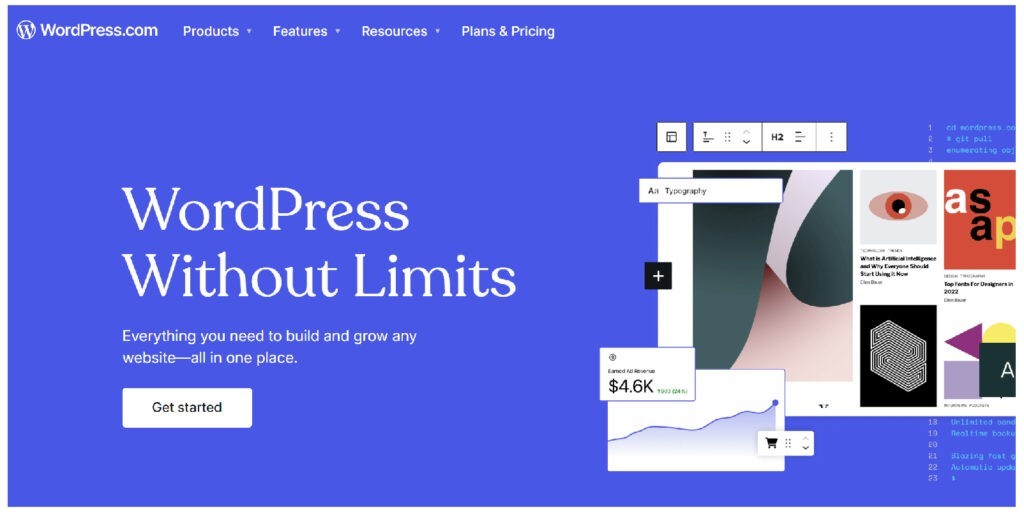
Why is WordPress So Popular?
To truly appreciate the benefits of WordPress, it’s crucial to understand its meteoric rise to popularity. As of 2024, WordPress powers an astounding 43.5% of all websites, including 63.5% of websites using a known content management system. These statistics speak volumes about its dominance in the web development sphere.
The journey of WordPress is a fascinating tale of growth and adaptation:
- 2003: WordPress is launched as a fork of b2/cafelog by Matt Mullenweg and Mike Little.
- 2005: The introduction of themes and plugins, revolutionizing customization options.
- 2010: WordPress 3.0 is released, introducing custom post types and making WordPress a true CMS.
- 2018: The release of Gutenberg editor, ushering in a new era of block-based editing.
- 2024: WordPress continues to evolve with AI-powered features and improved performance.
This is why is WordPress so popular: open-source flexibility, user-friendly interface, extensive plugin ecosystem, and a vibrant community of developers and users. These elements combine to create a platform that’s both powerful and accessible, catering to the needs of bloggers, small businesses, and Fortune 500 companies alike.
WordPress Development Agency
Experience WordPress development with our custom-coded websites. Perfect for agencies, our reliable service ensures timely delivery and client satisfaction.
The Top Benefits of WordPress: Why Millions Choose This Platform
The benefits of WordPress extend far beyond its market share. Let’s dive into the key advantages that make WordPress the preferred choice for website creators around the globe.
Ease of Use: Is WordPress Easy to Use?
Yes, WordPress is exceptionally easy to use, especially for basic to intermediate tasks. One of the most significant benefits of using WordPress is its user-friendly nature.
WordPress has an intuitive interface that allows users to navigate through various functions with ease. The dashboard is logically organized, with clear sections for posts, pages, media, and settings. This structure makes it simple for even non-technical users to manage their websites effectively.
Perhaps the most appealing aspect of WordPress’s ease of use is that no coding knowledge is required for basic website creation and management. Tasks like publishing content, adding images, and changing themes can all be accomplished with just a few clicks.
“WordPress’s intuitive interface makes it possible for anyone to create a professional-looking website, regardless of their technical background.” – Matt Mullenweg, Co-founder of WordPress
When compared to other popular platforms like Joomla or Drupal, WordPress stands out for its gentler learning curve. While these alternatives offer robust features, they often require more technical know-how to operate effectively.
Flexibility: What Can You Do With WordPress?
When it comes to flexibility, the question isn’t so much “What can you do with WordPress?” but rather, “What can’t you do?” The versatility of WordPress is one of its most compelling benefits, allowing users to create:
- Personal blogs
- E-commerce stores (powered by WooCommerce)
- Corporate websites
- Portfolio sites for creatives
- Membership platforms
- Online forums and communities
- News and magazine sites
- Educational websites and online courses
WordPress’s e-commerce capabilities deserve special mention. With plugins like WooCommerce, you can transform your WordPress site into a fully functional online store, complete with product listings, shopping carts, and secure payment gateways.
For instance, consider the case of Bluehost, a web hosting company that uses WordPress to power its blog, knowledge base, and customer portal. This multi-faceted implementation showcases the platform’s ability to handle diverse functionalities within a single ecosystem.

Customization: Making Your Site Uniquely Yours
WordPress offers unparalleled customization options, giving users complete control over their site’s appearance and functionality. The benefits of WordPress extend into the realm of customization, offering users unparalleled control over their site’s appearance and functionality.
Themes are at the heart of WordPress customization. With thousands of free and premium themes available, users can quickly change their site’s look and feel. Whether you’re looking for a minimalist blog design or a complex magazine layout, there’s a theme for every need.
Plugins take customization to the next level, allowing users to add new features and functionality to their sites. From SEO tools to social media integration, there are plugins for virtually every purpose. Popular examples include:
- Yoast SEO for search engine optimization
- Elementor for drag-and-drop page building
- Wordfence for enhanced security
For those with coding skills, WordPress offers even more customization options. Advanced users can create custom themes, develop bespoke plugins, and modify core functionalities to meet specific needs.
10 Reasons You Should Use WordPress for SEO
WordPress excels in Search Engine Optimization (SEO), offering numerous features that boost your site’s visibility. Here are 10 reasons you should use WordPress for SEO:
- SEO-friendly structure: WordPress creates a logical, hierarchical structure that search engines love.
- Customizable permalinks: Users can create SEO-optimized URLs that include keywords and are easy for both humans and search engines to read.
- Mobile responsiveness: Most WordPress themes are mobile-friendly out of the box, which is crucial for SEO in the mobile-first era.
- Fast loading times: With proper optimization, WordPress sites can achieve excellent loading speeds, a key factor in search rankings.
- Easy content creation and management: WordPress makes it simple to create and organize content, including the use of categories and tags for better content structure.
- Plugin support for advanced SEO features: Plugins like Yoast SEO and All in One SEO Pack provide powerful tools for on-page optimization.
- Regular updates and security: Frequent updates ensure that WordPress sites remain secure and compatible with the latest web standards.
- Social media integration: Easy integration with social platforms helps boost social signals, which can indirectly affect SEO.
- Multisite capabilities: For businesses managing multiple sites, WordPress multisite feature allows for efficient SEO management across all properties.
- Rich media management: WordPress makes it easy to optimize images and other media with alt tags and descriptions, improving overall SEO performance.

Cost-Effective: The Financial Advantages of WordPress
One of the most compelling benefits of WordPress is its cost-effectiveness. The core WordPress software is free and open-source, which means you can download, use, and modify it without any licensing fees.
When it comes to hosting, WordPress users have a wide range of affordable options. For example:
- Bluehost offers WordPress hosting starting at $2.95/month
- SiteGround provides WordPress-specific plans from $3.99/month
- WP Engine, a premium WordPress host, starts at $22/month for more robust features
While premium themes and plugins do come at a cost, they often provide excellent value for money. A typical premium theme might cost $50-$100, while essential plugins like Yoast SEO Premium or WooCommerce extensions can range from $50-$200 annually.
Compared to other platforms, WordPress often comes out on top in terms of cost-effectiveness. For instance, a similar setup on Shopify could cost upwards of $29/month just for the basic plan, not including additional apps or themes.
For more detailed information check our blog: How Much Does a WordPress Website Cost?
Strong Community Support
The WordPress community is a vibrant ecosystem of developers, designers, and users who contribute to the platform’s growth and provide invaluable support. This community-driven approach is one of the key benefits of WordPress.
Key resources for WordPress users include:
- WordPress.org forums
- Stack Exchange WordPress community
- WordPress Slack channels
- Local WordPress meetups and WordCamps
The active community ensures that WordPress is constantly evolving. Regular updates and improvements mean that users always have access to the latest features and security enhancements.
Scalability: Growing with Your Business
Another significant benefit of WordPress is its scalability. Whether you’re starting a small personal blog or running a high-traffic enterprise site, WordPress can accommodate your needs.
WordPress can handle millions of page views per month with the right optimization and hosting setup. For example, TechCrunch, one of the world’s leading technology news sites, runs on WordPress and handles massive traffic volumes daily.
Performance optimization options for WordPress include:
- Caching plugins like W3 Total Cache
- Content Delivery Networks (CDNs) for global reach
- Database optimization tools
- Scalable hosting solutions like managed WordPress hosting

Advantages of WordPress for Different User Groups
The benefits of WordPress extend across various user groups, each finding unique advantages tailored to their specific needs. From web developers seeking a flexible platform for custom solutions to small business owners looking for cost-effective website management, WordPress offers a diverse range of pros for different users. Let’s explore how WordPress caters to web developers and designers, small business owners, e-commerce entrepreneurs, and agencies, showcasing its versatility and wide-ranging appeal in the digital landscape.
The Pros of WordPress for Web Developers and Designers
- Extensive documentation and resources
- Flexibility to create custom themes and plugins
- Large marketplace for selling WordPress products
- Ability to streamline development with frameworks like Sage
The Pros of WordPress for Small Business Owners
- Cost-effective website solution
- Easy content management for non-technical users
- Scalability to grow with the business
- Wide range of e-commerce options
The Pros of WordPress for E-commerce Entrepreneurs
- Powerful e-commerce capabilities with WooCommerce
- Extensive payment gateway integrations
- Ability to manage products, orders, and customers from a single dashboard
- Flexibility to create unique shopping experiences
The Pros of WordPress for Agencies
- Efficient development and deployment processes
- Ability to create diverse client solutions on a single platform
- Recurring revenue opportunities through maintenance and updates
- Extensive network of WordPress professionals for collaboration
Potential Limitations of WordPress
While the benefits are numerous, it’s important to acknowledge that there still are some limitations of WordPress:
- Learning curve for advanced customization: While basic use is simple, advanced development requires significant skill.
- Security considerations: As a popular platform, WordPress can be a target for hackers. However, regular updates and security plugins mitigate this risk.
- Performance for large, complex sites: Very large or complex WordPress sites may require additional optimization to maintain performance.
- Plugin compatibility issues: With thousands of plugins available, conflicts can occasionally arise, requiring careful management.
Dedicated team
Scale your agency with a dedicated WordPress developer. With great communication, we make sure to keep your builds on track and on time.
Conclusion: Why Using WordPress Can Benefit Your Project
The benefits of WordPress are clear: from its user-friendly interface and flexibility to its SEO advantages and cost-effectiveness, WordPress offers a comprehensive solution for web development needs. Its scalability ensures that it can grow with your project, while the strong community support provides a safety net for users at all levels.
WordPress has something to offer whether you’re a small business owner looking to establish an online presence, an e-commerce entrepreneur aiming to launch a new store, or a web developer seeking an efficient platform for client projects.
Ready to harness the benefits of WordPress for your next project? Here are some steps to get started:
- Choose a reliable WordPress hosting provider
- Install WordPress and select a theme that suits your needs
- Customize your site with essential plugins
- Start creating content and building your online presence
Remember, the WordPress journey is one of continuous learning and improvement. Embrace the platform’s flexibility, tap into the wealth of community resources, and watch your online presence flourish with WordPress.
Need expert help to maximize the benefits of WordPress for your project? Contact the White Label Agency for professional WordPress development and optimization services.


