

Search engine optimization (SEO) is the backbone of online visibility. Whether you’re running a business website, an e-commerce store, or a content-heavy blog, your choice of content management system (CMS) plays a critical role in determining your site’s search performance. But with so many options available, what is the best CMS for SEO in 2025?
A well-optimized CMS simplifies technical SEO, enhances site speed, and ensures seamless content management. Some platforms offer built-in SEO content management tools, while others require third-party integrations. The right choice depends on your specific needs—whether you prioritize flexibility, ease of use, or advanced SEO features.
In this guide, we’ll explore the best CMS for SEO, the essential SEO features you should look for, and a comparative breakdown of leading platforms. Let’s start by understanding what makes a CMS SEO-friendly and why these features matter for your website’s performance.
Key SEO Features to Consider in a CMS
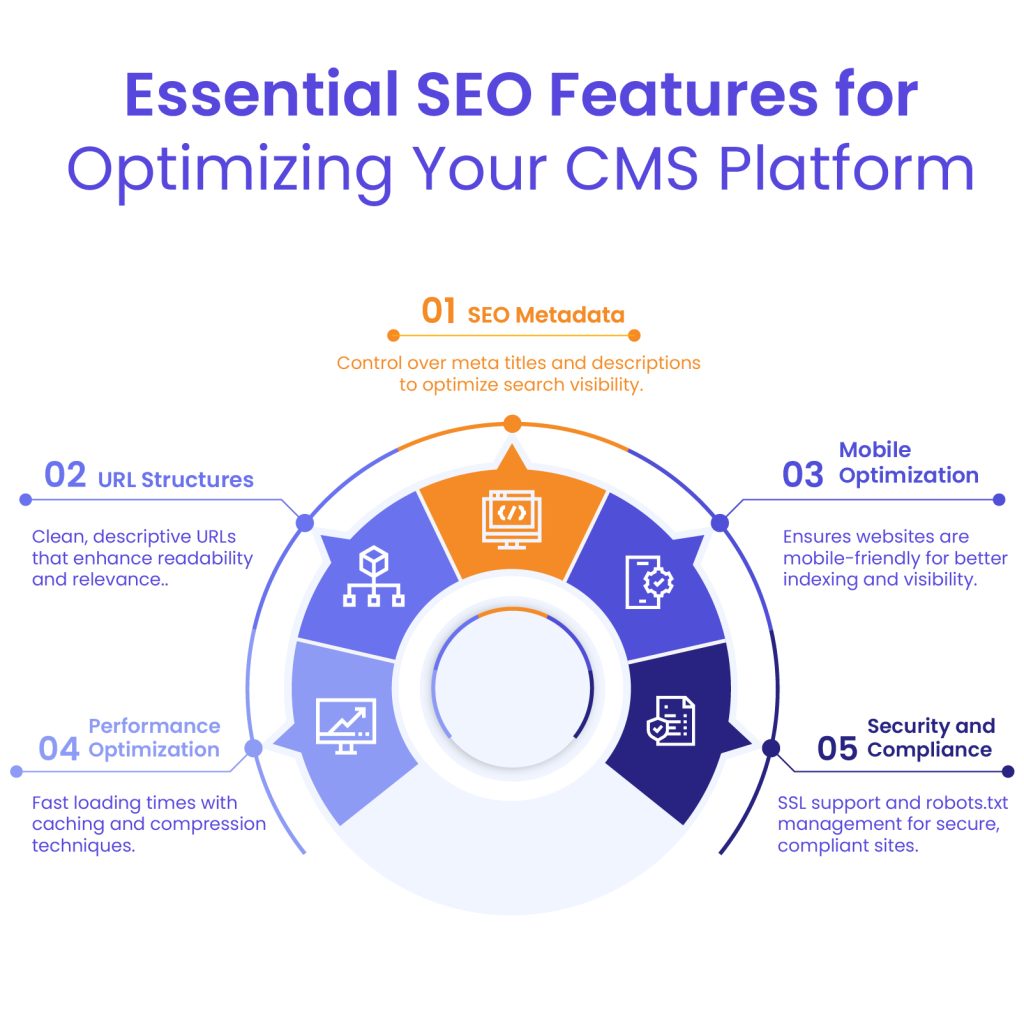
A high-performing CMS for SEO isn’t just about content creation—it’s about how well it aligns with search engine best practices. The following are the must-have SEO features that set the best platforms apart:
1. Customizable SEO Metadata
Your CMS should allow full control over meta titles, descriptions, and alt text for images. These elements are crucial for optimizing click-through rates and improving search rankings.
2. Clean and SEO-Friendly URL Structures
A well-structured URL boosts readability and search relevance. Platforms that let you create short, descriptive URLs without unnecessary parameters offer an SEO advantage.
3. Mobile Responsiveness and Optimization
With Google’s mobile-first indexing, websites that aren’t mobile-friendly risk losing visibility. A CMS should automatically ensure that pages adapt seamlessly across all devices.
4. Fast Loading Times and Performance Optimization
Page speed is a ranking factor, and slow websites drive visitors away. The best SEO content management systems include built-in caching, image compression, and lazy loading to enhance performance.
5. Integration with SEO Plugins and Tools
Some CMS platforms have built-in SEO tools, while others rely on plugins like Yoast SEO, Rank Math, or SEOPress. The ability to integrate these tools ensures better keyword optimization and real-time SEO suggestions.
6. Automatic XML Sitemap Generation
Sitemaps help search engines crawl your site efficiently. A strong CMS for SEO should automatically generate and update XML sitemaps as you add new content.
7. 301 Redirect Management
Managing redirects is essential for preserving link equity and avoiding broken pages. A CMS should provide easy-to-use redirect tools to maintain search rankings after URL changes.
8. SSL/TSL Certification Support
Security matters for both SEO and user trust. A CMS with built-in SSL/TSL support ensures your site runs on HTTPS, which Google favors in rankings.
9. Robots.txt File Management
This file tells search engines which pages to crawl and which to ignore. An SEO-friendly CMS should offer straightforward robots.txt editing to control indexability.
10. Support for Structured Data and Schema Markup
Structured data helps search engines understand content context, leading to rich snippets in search results. A CMS that automates schema markup integration gives your content an edge.
Top 10 CMS Platforms for SEO in 2025
Now that we’ve outlined the essential SEO features to look for in a CMS, it’s time to analyze the platforms that offer the best optimization capabilities. The choice of CMS for SEO depends on factors such as customization, scalability, and ease of use. Whether you’re managing a personal blog, a corporate website, or a large-scale e-commerce platform, selecting the right CMS can have a profound impact on your search rankings.
Below, we explore the best content management systems for SEO in 2025, highlighting their strengths and limitations.
WordPress

WordPress continues to dominate the CMS market in 2025, powering approximately 43% of all websites on the internet. Its open-source nature, extensive community support, and continuous development make it a go-to choice for businesses of all sizes. The platform’s longevity and widespread adoption speak volumes about its reliability and effectiveness.
SEO Capabilities and Available Plugins
WordPress shines in the SEO department, largely thanks to its robust ecosystem of plugins. Standout options include:
- Yoast SEO: Still the gold standard for WordPress SEO, offering content analysis, XML sitemap generation, meta tag optimization, and readability checks.
- Rank Math: A powerful competitor to Yoast that’s gained significant traction, featuring keyword ranking tracking and advanced schema markup options.
- SEOPress: A lightweight alternative with comprehensive features for technical SEO implementation.
WordPress also offers excellent control over permalinks, header tags, image optimization, and page load speed—all crucial factors for search ranking.
Pros and Cons
Pros:
- Unmatched plugin ecosystem for SEO customization
- Regular updates that keep pace with SEO best practices
- Extensive community support and resources
- Scalable for businesses from small blogs to enterprise sites
- Compatible with virtually all hosting environments
Cons:
- Can require significant optimization to maintain fast loading speeds
- Security vulnerabilities if plugins and core aren’t regularly updated
- With freedom comes complexity—may require more technical knowledge than some alternatives
- Plugin conflicts can cause unexpected SEO issues
WordPress Development Agency
Experience WordPress development with our custom-coded websites. Perfect for agencies, our reliable service ensures timely delivery and client satisfaction.
Hygraph

Hygraph (formerly GraphCMS) represents the modern approach to content management through its headless architecture. Unlike traditional CMS platforms, Hygraph separates the content backend from the frontend presentation layer, allowing developers to build SEO-optimized frontends using their preferred frameworks like React, Next.js, or Vue.js.
Flexibility and Scalability for SEO
What makes Hygraph particularly strong for SEO in 2025 is its API-first approach, which enables:
- Blazing-fast page loads through static site generation or server-side rendering
- Structured content that easily incorporates schema markup for rich snippets
- Seamless omnichannel content delivery with consistent SEO properties
- Advanced content modeling that supports SEO-friendly information architecture
The platform’s GraphQL API allows developers to retrieve precisely the content needed for each page, minimizing unnecessary data loading that can slow down sites.
Pros and Cons
Pros:
- Exceptional page speed performance, a critical ranking factor
- Future-proof architecture that adapts to evolving SEO requirements
- Content reusability across multiple channels while maintaining SEO integrity
- Built-in versioning and content scheduling for SEO campaigns
- Enterprise-level security and reliability
Cons:
- Steeper learning curve compared to traditional CMS platforms
- Requires developer resources for implementation and maintenance
- Less accessible for non-technical marketers without a custom interface
- Fewer out-of-the-box SEO tools compared to WordPress
Storyblok
Storyblok has emerged as a powerful contender in the CMS space, offering a unique blend of headless architecture with a visual editing experience. The platform’s standout feature is its live preview capability that allows content creators to see changes in real-time while maintaining the SEO benefits of a headless approach.
SEO Features and Customization Options
Storyblok provides comprehensive SEO tools that make optimization straightforward:
- Built-in SEO fields for meta titles, descriptions, and Open Graph properties
- Custom content blocks that maintain consistent heading hierarchy
- Image optimization and lazy loading capabilities
- Automatic sitemap generation and management
- Content scheduling for timely SEO campaigns
The platform’s component-based approach ensures content consistency across pages, which both improves user experience and signals quality to search engines.
Pros and Cons
Pros:
- Intuitive visual editor that non-technical team members can master
- Modular content blocks that maintain SEO best practices
- Multi-language support with localization features beneficial for international SEO
- API-driven architecture for fast page loads
- Strong version control and approval workflows
Cons:
- More expensive than basic CMS options
- Fewer third-party plugins compared to established platforms like WordPress
- May require custom development for advanced SEO implementations
- Analytics integration requires additional setup
Prismic

Prismic has evolved into a formidable page-building platform that emphasizes content creation while maintaining robust SEO principles. Its slice-based content modeling system allows marketers to build pages with modular components while preserving proper HTML structure and semantic markup essential for SEO.
SEO Tools and Integrations
Prismic offers several features that cater specifically to SEO needs:
- Custom types for creating SEO-friendly content structures
- Integrated previews to verify SEO elements before publishing
- Automatic generation of structured data
- Built-in handling of canonical URLs and alternate language links
- Integration with popular frontend frameworks that prioritize performance
The platform’s REST and GraphQL APIs ensure content is delivered efficiently, contributing to faster page loads and better search rankings.
Pros and Cons
Pros:
- User-friendly interface with minimal learning curve
- Strong content scheduling and preview capabilities
- Excellent integration with Next.js and Gatsby for SEO-optimized sites
- Solid version history and content rollback features
- Good multi-user collaboration tools
Cons:
- Less robust community support compared to WordPress
- Limited built-in analytics for SEO performance tracking
- Some advanced SEO features require custom development
- Higher pricing tiers for enterprise features
Drupal

Drupal continues to be the platform of choice for complex, content-heavy websites that require enterprise-level security and customization. In 2025, Drupal 10 has further refined its architecture to support robust SEO implementations while maintaining its reputation for handling large volumes of content and traffic.
Built-in SEO Modules
Drupal’s strength lies in its modular approach to functionality, with several powerful SEO modules available:
- Pathauto: For creating customized URL structures based on content patterns
- Metatag: Comprehensive management of all meta information
- XML Sitemap: Advanced sitemap generation with customization options
- Redirect: Tools for managing 301 redirects and preventing link equity loss
- Schema.org Markup: Implementation of structured data across content types
The platform’s taxonomy system also enables sophisticated content categorization that supports topic clustering and semantic SEO strategies.
Pros and Cons
Pros:
- Enterprise-level security and performance
- Excellent for managing large content repositories with SEO consistency
- Highly scalable for growing websites and content needs
- Strong multisite capabilities for managing SEO across multiple properties
- Robust access controls and workflow management
Cons:
- Steeper learning curve than most other CMS options
- Requires more technical expertise to fully leverage SEO capabilities
- Higher development and maintenance costs
- Admin interface can be overwhelming for casual users
Joomla
Joomla has maintained its position as a middle-ground option between WordPress’s simplicity and Drupal’s complexity. Its admin interface has seen significant improvements in usability, making SEO management more accessible to users without deep technical expertise.
SEO Extensions and Capabilities
Joomla’s core SEO features have expanded, with additional capabilities available through extensions:
- SH404SEF: Provides comprehensive SEO management, including URL rewrites and redirects
- JoomSEF: Helps create search engine friendly URLs and manage metadata
- OSMap: Generates and manages XML sitemaps
- Helix Ultimate: A popular template framework with built-in SEO options
The platform’s menu management system also contributes to logical site architecture, an important factor for search engines.
Pros and Cons
Pros:
- Well-balanced between ease of use and functionality
- Strong multilingual support out of the box
- Solid caching system for improved page speed
- Active development community that implements SEO best practices
- Flexible content organization options
Cons:
- Smaller extension marketplace compared to WordPress
- Less intuitive for complete beginners
- Some advanced SEO features require paid extensions
- Template customization can be more complex than with some competitors
HubSpot CMS
HubSpot CMS Hub stands out in 2025 as the platform of choice for marketers seeking tight integration between content management and marketing automation. The platform’s unique selling proposition is its all-in-one approach, allowing users to manage content, SEO, and lead generation from a single dashboard.
SEO Features and Analytics
HubSpot offers an impressive array of built-in SEO tools:
- On-page SEO recommendations that update in real-time as you create content
- Topic cluster tool for planning and implementing content strategies
- Integrated keyword research and content strategy tools
- Automatic mobile optimization
- Performance analytics that tie SEO efforts directly to lead generation and revenue
The platform’s smart content capabilities also allow for personalized user experiences, which can improve engagement metrics and indirectly benefit SEO.
Pros and Cons
Pros:
- Seamless integration with HubSpot’s marketing, sales, and service hubs
- Built-in A/B testing for optimizing SEO performance
- Excellent page speed optimization tools
- User-friendly content creation tools with SEO guidance
- Comprehensive analytics that connect SEO to business outcomes
Cons:
- Higher price point than standalone CMS solutions
- Limited design flexibility compared to developer-focused platforms
- Potential vendor lock-in due to the integrated ecosystem
- Less suitable for websites not focused on lead generation
Recommendation
Want to find out how Hubspot compares with WordPress specifically? Here is our comprehensive overview of Hubspot CMS vs WordPress.
Shopify

Shopify continues to dominate the e-commerce CMS space in 2025, with an expanded feature set specifically designed for online stores. Its purpose-built approach gives it advantages for product-focused SEO that general CMS platforms can’t match without significant customization.
SEO Functionalities and Limitations
Shopify has addressed many of its historical SEO limitations while building on its strengths:
- Automatic canonical tags to prevent duplicate content issues
- Built-in schema markup for products
- Customizable URL structures for products and collections
- Automatic image alt text suggestions based on product details
- Integration with Google Merchant Center for enhanced product visibility
The platform’s focus on page speed has intensified, with improved server response times and optimized theme architecture.
Pros and Cons
Pros:
- Purpose-built for e-commerce SEO needs
- Excellent mobile optimization out of the box
- Strong security features that don’t compromise SEO
- Regular updates that align with e-commerce SEO best practices
- Integrated marketing tools specifically for product promotion
Cons:
- Less flexibility in URL structure compared to some platforms
- Blog functionality is more limited than content-focused CMS options
- Some advanced SEO features only available on higher-tier plans
- Can be costly at scale with add-ons and transaction fees
Recommendation
Check out our blog on Shopify vs WordPress for a more in-depth comparison.
Webflow
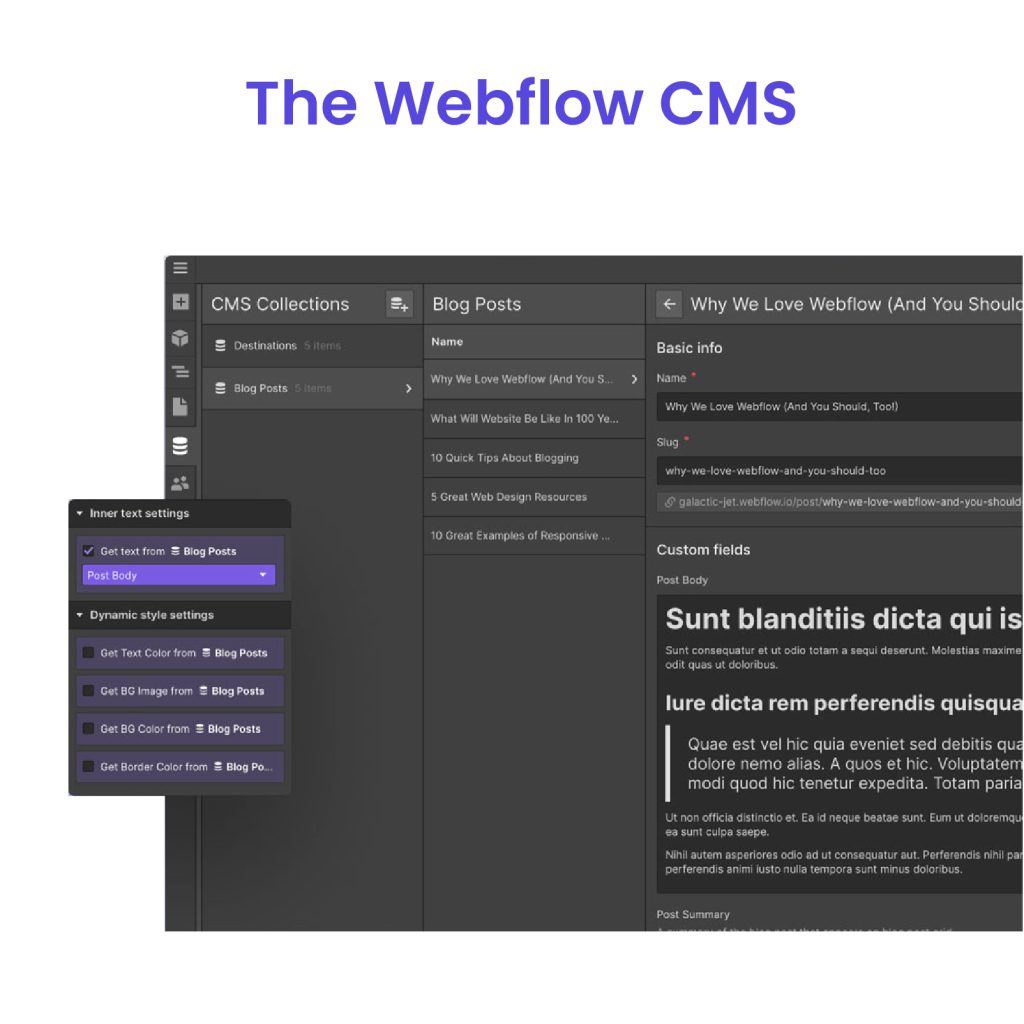
Webflow has solidified its position as the designer’s CMS of choice, offering unparalleled visual design capabilities without sacrificing SEO fundamentals. The platform generates clean, semantic HTML and CSS that search engines reward with better rankings.
SEO Control and Performance
Webflow provides comprehensive SEO controls directly in its design interface:
- Full customization of meta titles, descriptions, and Open Graph data
- Clean HTML markup with proper heading structure
- Built-in 301 redirects and custom 404 pages
- Automatic sitemap generation and robots.txt configuration
- Responsive design tools that ensure mobile optimization
The platform’s hosting infrastructure is optimized for performance, with global CDN, automatic image optimization, and fast server response times.
Pros and Cons
Pros:
- Superior design control that maintains SEO best practices
- Clean, efficient code output without bloat
- Strong performance optimization features
- No plugin maintenance issues that can affect SEO
- Excellent responsive design tools for mobile SEO
Cons:
- Steeper learning curve for non-designers
- Higher cost compared to basic website builders
- Limited built-in marketing automation features
- Content management workflow less robust than enterprise CMS options
Wix

Wix has dramatically improved its SEO reputation from its early days, transforming into a serious contender for small to medium businesses. Its intuitive drag-and-drop interface remains among the most accessible for beginners, while its SEO capabilities have expanded significantly.
SEO Tools and User Experience
Wix now offers a comprehensive set of SEO tools through its Wix SEO Wiz feature:
- Step-by-step SEO setup guidance customized to your site
- Built-in keyword research tools
- Automatic and manual meta tag management
- Structured data implementation
- Mobile site optimization
The platform has also improved its technical SEO fundamentals with better server response times and core web vitals performance.
Pros and Cons
Pros:
- Extremely user-friendly for SEO beginners
- No technical knowledge required for basic SEO implementation
- Strong mobile optimization capabilities
- Built-in analytics and search console integration
- Regular updates that incorporate latest SEO best practices
Cons:
- Less control over technical aspects than developer-focused platforms
- Some advanced customizations remain limited
- Migration to other platforms can be challenging
- Performance may lag behind dedicated hosting solutions for high-traffic sites
Recommendation
Considering WordPress and Wix? Here is our detailed comparison of Wix vs WordPress.
Comparative Analysis of CMS Platforms
With a clearer understanding of the top CMS platforms for SEO, it is important to compare them based on key performance metrics. Each platform offers unique advantages, whether it be customization, ease of use, speed, or scalability. This comparative analysis will help businesses determine the most suitable SEO content management system for their specific needs.
Feature Comparison: Key SEO Factors
| CMS Platform | Metadata Customization | Mobile Optimization | Speed & Performance | SEO Plugin Support | Scalability |
| WordPress | 10/10 | Fully responsive | 8/10 | Extensive plugin support | High |
| Hygraph | 9/10 | Excellent | 9/10 | Requires manual setup | Enterprise-grade |
| Storyblok | 7/10 | Optimized | 9/10 | Limited plugin support | Medium |
| Prismic | 8/10 | Strong | 7/10 | SEO tool integration | Moderate |
| Drupal | 10/10 | Fully responsive | 10/10 | Limited extensions | Enterprise-level |
| Joomla | 6/10 | Good | 6/10 | Moderate plugin support | Medium |
| HubSpot CMS | 8/10 | Fully responsive | 8/10 | Requires subscription | Medium |
| Shopify | 6/10 | Mobile-first design | 9/10 | Limited SEO apps | E-commerce focused |
| Webflow | 9/10 | Optimized | 10/10 | Requires manual setup | Medium |
| Wix | 5/10 | Mobile-ready | 5/10 | Limited SEO control | Small-scale sites |
Each CMS provides a unique balance between SEO automation, customization, and scalability.
User Experience and Technical Requirements
Beyond SEO features, ease of use and technical control also play a role in CMS selection. Some platforms are designed for non-technical users, while others require coding knowledge for advanced SEO strategies.
| CMS Platform | Ease of Use | Learning Curve | Best For |
| WordPress | High | Medium | Blogs, businesses, agencies |
| Hygraph | Low | High | Large content platforms |
| Storyblok | Medium | Medium | Content-heavy websites |
| Prismic | Medium | Medium | Marketing-driven websites |
| Drupal | Low | Very High | Enterprise, government |
| Joomla | Medium | Medium | Mid-sized businesses |
| HubSpot CMS | High | Low | Marketing-focused websites |
| Shopify | High | Low | E-commerce stores |
| Webflow | Medium | Medium | Designers, agencies |
| Wix | Very High | Very Low | Small businesses, beginners |
Customization and Flexibility
Customization is critical for SEO content management. Some CMS platforms allow full control over SEO settings, while others have restrictions on URL structures, metadata edits, and schema implementation.
- Most Customizable Platforms: WordPress, Drupal, Webflow
- Moderate Customization: Joomla, Hygraph, Storyblok
- Limited Customization: Wix, Shopify
Platforms like WordPress and Webflow allow complete design and SEO flexibility, while Shopify and Wix have more rigid frameworks.
Dedicated team
Scale your agency with a dedicated WordPress developer. With great communication, we make sure to keep your builds on track and on time.
Support and Community Resources
An active developer community ensures ongoing support, plugin availability, and troubleshooting resources. CMS platforms with large user bases often receive more frequent updates and third-party integrations.
| CMS Platform | Community Support | Documentation Availability | Plugin Ecosystem |
| WordPress | Very Large | Extensive | Huge |
| Hygraph | Growing | Moderate | Limited |
| Storyblok | Medium | Moderate | Small |
| Prismic | Medium | Good | Moderate |
| Drupal | Large | Extensive | Moderate |
| Joomla | Medium | Good | Moderate |
| HubSpot CMS | Official Support | Extensive | Limited |
| Shopify | Official Support | Extensive | Small |
| Webflow | Growing | Good | Moderate |
| Wix | Official Support | Moderate | Limited |
WordPress and Drupal have the largest open-source communities, making them ideal for those who need continuous third-party SEO enhancements. Platforms like HubSpot CMS and Shopify offer official support, but with limited plugin ecosystems.
Best CMS Choices for Different Business Needs
Selecting the best CMS for SEO depends on a business’s growth plans, industry, and required level of control. Below is a breakdown of the ideal CMS platforms for different use cases:
| Business Type | Recommended CMS | Why? |
| Small Businesses | Wix, Shopify | Simple SEO tools, easy setup |
| Content-Heavy Websites | WordPress, Storyblok | Strong content structure and SEO customization |
| E-Commerce | Shopify, WooCommerce (WordPress) | Built-in SEO for online stores |
| Enterprise-Level SEO | Drupal, Hygraph | Advanced technical SEO and scalability |
| Marketing & Automation | HubSpot CMS | Integrated SEO and marketing tools |
| Custom Website Design | Webflow, WordPress | Full control over design and SEO |
A business focused on scalability and SEO control should opt for WordPress, Drupal, or Webflow, while smaller businesses may benefit from the simpler, guided SEO solutions in Wix or Shopify.
Conclusion: Best Content Management System for SEO
Selecting the right content management system is a crucial step in building a strong SEO strategy. As we pointed out in the blog, the best CMS for SEO depends on your business model, technical expertise, and scalability needs. WordPress remains the most versatile and widely supported SEO-friendly CMS, making it the top choice for most agencies and businesses.
Drupal and Hygraph offer enterprise-grade control, while Webflow and Storyblok provide flexibility for design-oriented projects. For e-commerce, Shopify leads the market, while Wix and HubSpot CMS offer beginner-friendly SEO solutions with built-in automation.
Regardless of which CMS you choose, SEO optimization requires ongoing effort, from technical adjustments to content marketing strategies. A well-optimized website needs clean code, mobile responsiveness, fast load times, and structured metadata to rank higher in search engines.
Scale Your Digital Agency with White Label Agency
For digital agencies looking to streamline their WordPress development services, White Label Agency (WLA) offers a trusted outsourcing solution. Whether you need custom WordPress development, ongoing website maintenance, or dedicated WordPress developers, WLA helps you deliver high-quality WordPress websites under your brand—without the hassle of hiring an in-house team.
Join hundreds of digital agencies that partner with WLA to scale their business, increase profitability, and meet tight deadlines without compromising on quality. Contact us today to explore how our white label WordPress services can help your agency grow.


