


- What Is Dedicated WordPress Hosting?
- Dedicated WordPress Hosting vs Other Hosting Types
- 6 Key Benefits of Dedicated WordPress Hosting
- Managed vs Unmanaged Dedicated Hosting
- Who Should Use Dedicated WordPress Hosting?
- How to Choose a Dedicated WordPress Hosting Provider
- Pricing and Cost Considerations
- Pros and Cons Summary
- Conclusion
Your hosting choice can significantly affect your website’s performance. As your site grows, so do its demands on server resources. This is where dedicated WordPress hosting can help you—an enterprise-level solution designed to give your WordPress site the ultimate performance, security, and control.
But is it the right choice for your website? With price points ranging from $100 to $600+ per month, it’s an investment that demands careful consideration.
In this comprehensive guide, we’ll explore what dedicated hosting for WordPress really is, how it compares to other hosting types, and who should consider making the switch. By the end, you’ll have all the information you need to determine if dedicated hosting is the solution your site has been waiting for.
What Is Dedicated WordPress Hosting?
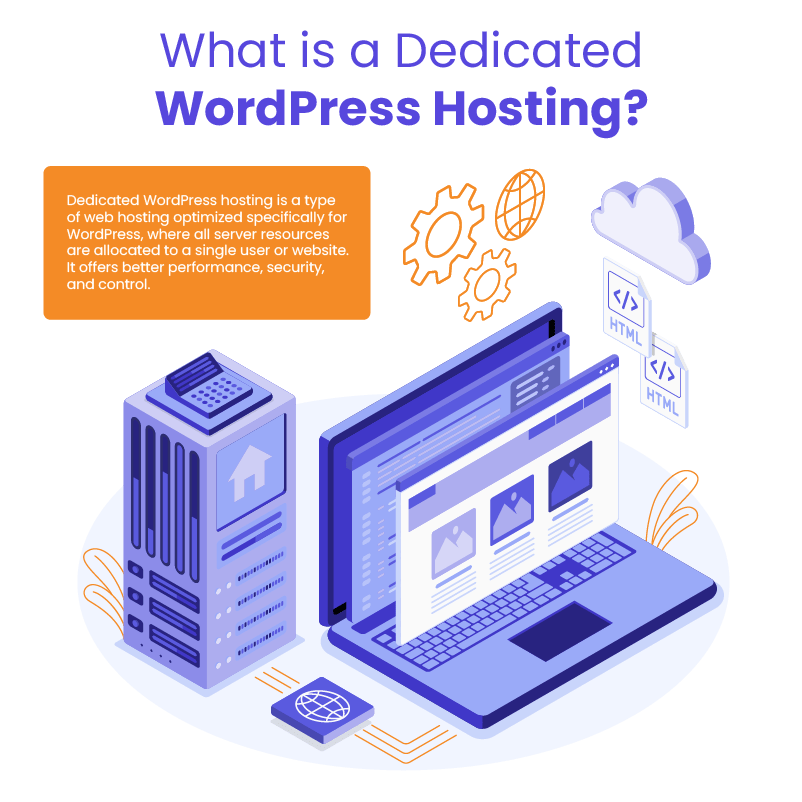
Dedicated WordPress hosting provides an entire physical server exclusively for your WordPress website or applications. Unlike shared hosting where multiple websites compete for the same server resources, dedicated hosting allocates 100% of a server’s processing power, memory, and storage to your site alone.
What makes WordPress dedicated server hosting special is the optimization layer tailored specifically for the WordPress content management system. This means the server environment—including the operating system, web server configuration, database settings, and caching mechanisms—is fine-tuned to make WordPress run as efficiently as possible.
How It Works
When you opt for WordPress dedicated hosting, you’re essentially renting an entire physical machine housed in a data center. This server comes with:
- Dedicated resources: All CPU cores, RAM, storage, and bandwidth are exclusively yours, with no sharing or competing with other websites.
- Dedicated IP address: Your site gets its own unique IP address, which can improve security and SEO performance.
- WordPress-optimized environment: The server runs configurations specifically designed to enhance WordPress performance, including:
- Optimized PHP settings
- Database optimization for WordPress queries
- Server-level caching mechanisms
- Fine-tuned web server configurations (typically NGINX or Apache)
Think of it like owning a house versus renting an apartment. With an apartment (shared hosting), you share foundation, walls, and utilities with others. But with a house (dedicated hosting), everything from foundation to roof is yours to control and customize.
WordPress maintenance plans
WordPress Maintenance Plans ensure site security, performance, and uptime. Choose custom plans with backups, monitoring, and unlimited content edits.
Dedicated WordPress Hosting vs Other Hosting Types
Understanding how WordPress dedicated hosting compares to other options helps clarify whether it’s the right solution for your needs.
Shared Hosting vs Dedicated WordPress Hosting
Shared hosting is like living in a crowded apartment building where hundreds of websites share the same resources. Here’s how it compares:
| Feature | Shared Hosting | WordPress Dedicated Hosting |
| Cost | $3-15/month | $100-600+/month |
| Performance | Inconsistent due to resource sharing | Consistent, high performance |
| Resource Allocation | Limited, shared with others | 100% dedicated to your site |
| Security | Vulnerable to “bad neighbor” effect | Complete isolation from other sites |
| Control | Limited customization | Full root access and customization |
| Scalability | Very limited | Highly scalable |
VPS Hosting vs WordPress Dedicated Hosting
VPS (Virtual Private Server) hosting provides a middle ground between shared and dedicated options:
| Feature | VPS Hosting | WordPress Dedicated Hosting |
| Cost | $20-100/month | $100-600+/month |
| Technology | Virtualized environment | Physical hardware |
| Resources | Dedicated portion of a server | Entire physical server |
| Performance | Good, but still virtualized | Maximum possible performance |
| Isolation | Virtual isolation | Complete physical isolation |
| Customization | Good flexibility | Complete control |
Managed WordPress Hosting vs Dedicated WordPress Hosting
Managed WordPress hosting focuses on convenience and optimization, while dedicated hosting prioritizes power and control:
| Feature | Managed WordPress Hosting | Dedicated Hosting |
| Cost | $30-300/month | $100-600+/month |
| Focus | Easy management and optimization | Maximum power and control |
| Technical Knowledge Required | Minimal | Moderate to high (unless managed) |
| Updates & Maintenance | Handled automatically | Self-managed or as an add-on service |
| Plugins | Often restricted | No restrictions |
| Scaling | Platform-dependent | Completely flexible |
Cloud Hosting vs WordPress Dedicated Server Hosting
Cloud hosting leverages virtualized resources across multiple servers, offering a different approach to high performance:
| Feature | Cloud Hosting | WordPress Dedicated Server Hosting |
| Cost | Pay-as-you-go or fixed | Fixed monthly cost |
| Hardware | Virtual resources across servers | Physical single-server hardware |
| Scalability | Instant vertical and horizontal scaling | Limited to server hardware |
| Reliability | High (distributed architecture) | Dependent on single server reliability |
| Performance | Very good, variable | Excellent, consistent |
While cloud hosting offers flexibility and resource scalability, dedicated hosting provides raw power, complete control, and predictable performance—essential qualities for high-traffic, security-conscious WordPress sites.
6 Key Benefits of Dedicated WordPress Hosting
Dedicated WordPress hosting offers several significant advantages that make it the preferred choice for high-performance, mission-critical websites. Here’s why many businesses and high-traffic WordPress sites make the investment:
1. Unmatched Performance
With WordPress dedicated server hosting, your site enjoys exclusive access to all server resources without competing with other websites. This translates to:
- Faster page load times: Studies show that every 100ms improvement in load time can increase conversion rates by 1%, making this critical for eCommerce sites.
- Higher concurrency handling: Your server can handle hundreds or thousands of simultaneous visitors without slowdowns.
- Consistent response times: Even during traffic spikes, your site maintains reliable performance.
One of our clients, an eCommerce store with over 5,000 products, saw their average page load time decrease from 4.2 seconds to just 1.8 seconds after migrating to dedicated hosting—resulting in a 23% increase in conversions.
2. Enhanced Security
Security is paramount for business websites, and dedicated hosting provides significant advantages:
- Complete isolation: Your site is immune to the “bad neighbor effect,” where security issues from other sites on shared servers can affect yours.
- Custom security configurations: Implement server-level firewalls, intrusion detection systems, and custom security policies.
- Dedicated IP address: Reduces the risk of IP blacklisting due to others’ actions.
- Physical security: Enterprise-grade data centers with restricted access, surveillance, and environmental controls.
3. Full Control and Customization
For technically savvy users or those with specific requirements, dedicated hosting offers unparalleled control:
- Root access: Complete administrative control over your server environment.
- Custom server software: Choose and configure your preferred web server, PHP version, database system, and caching solutions.
- Resource allocation: Optimize server resources for your specific WordPress site’s needs.
- Server-side tools: Install any compatible software like specialized caching systems, analytics tools, or development environments.
4. Superior Reliability and Uptime
Dedicated hosting for WordPress typically provides better uptime guarantees and performance consistency:
- Hardware redundancy: Enterprise-grade components with redundant power supplies, disk arrays, and network connections.
- 99.9%+ uptime guarantees: Many providers offer strong Service Level Agreements (SLAs) with financial compensation for downtime.
- Proactive monitoring: Advanced systems detect and address potential issues before they affect your site.
5. Scalability for Growth
As your WordPress site grows, dedicated hosting provides clear upgrade paths:
- Vertical scaling: Easily upgrade RAM, CPU, or storage as your site’s needs increase.
- Environmental optimization: Fine-tune your server configuration to accommodate growing traffic.
- Multi-server expansion: Add load balancers, database servers, or content delivery networks as your architecture evolves.
6. Technical Support Advantages
Dedicated hosting customers typically receive premium support:
- Priority assistance: Faster response times and dedicated support channels.
- WordPress expertise: Support staff with specific WordPress knowledge.
- Advanced troubleshooting: In-depth diagnostic capabilities for complex WordPress issues.
For businesses that depend on their WordPress sites for revenue, these benefits often easily justify the higher cost of WordPress dedicated hosting compared to shared or VPS solutions.
Managed vs Unmanaged Dedicated Hosting

When considering dedicated hosting, one of the most important decisions you’ll face is whether to choose managed or unmanaged services. This choice significantly impacts both your costs and responsibilities.
Understanding Managed Dedicated WordPress Hosting
Managed dedicated hosting is like having a concierge service for your server. The hosting provider handles technical aspects of server management, allowing you to focus on your content and business.
A managed solution typically includes:
- Server setup and configuration: Pre-optimized for WordPress performance
- Ongoing maintenance: Regular updates to the server’s operating system, security patches, and core software
- WordPress core updates: Automatic or monitored WordPress version updates
- Performance optimization: Server-level caching, content delivery network (CDN) integration, and database optimization
- Security management: Firewall configuration, malware scanning, intrusion detection, and automated backups
- 24/7 monitoring: Proactive detection and resolution of server issues
- Technical support: Expert WordPress assistance for both server and application issues
For example, if a critical WordPress security vulnerability is discovered, a managed WordPress hosting provider will typically patch your installation quickly, often before you even become aware of the issue.
Understanding Unmanaged Dedicated WordPress Hosting
Unmanaged dedicated hosting provides you with the raw server hardware and basic network connection. Everything else—from operating system installation to security configuration to WordPress optimization—is your responsibility.
With unmanaged hosting, you’ll need to handle:
- Operating system installation and updates: Selecting, installing, and maintaining your server’s OS
- Web server configuration: Setting up and optimizing Apache, NGINX, or other web server software
- Database management: Installing, configuring, and maintaining MySQL or MariaDB
- Security implementation: Configuring firewalls, setting up security protocols, and responding to vulnerabilities
- Performance tuning: Implementing caching layers, optimizing PHP, and fine-tuning server resources
- Backup systems: Creating and managing backup solutions
- Troubleshooting: Diagnosing and fixing server-related problems
Choosing Between Managed and Unmanaged
The right choice depends on your technical expertise, budget, and resource allocation preferences:
| Factor | Managed Dedicated Hosting | Unmanaged Dedicated Hosting |
| Monthly Cost | Higher ($300-800+) | Lower ($100-400+) |
| Technical Expertise Required | Minimal to moderate | Significant (sysadmin skills) |
| Time Investment | Low (provider handles maintenance) | High (you handle everything) |
| Control Level | Moderate (some limitations) | Complete (full root access) |
| Support Coverage | Comprehensive | Limited or basic |
| Best For | Businesses focusing on growth rather than infrastructure | Technical teams with server management experience |
From our experience working with agencies, managed dedicated hosting is typically the better choice unless you have in-house system administrators or extensive server management experience.
As one of our agency clients put it: “The cost difference between managed and unmanaged was about $250 per month, but when we calculated the time our developer would spend on server maintenance—at least 8 hours monthly—the managed option actually saved us money.”
Website as a service
Website As a Service [WAAS] provides complete website solutions including design, hosting, and maintenance through a convenient subscription model for Agencies.
Who Should Use Dedicated WordPress Hosting?
Dedicated WordPress hosting represents a significant investment, so it’s important to determine if your website’s needs justify the expense. Here are the types of WordPress users who benefit most from dedicated hosting solutions:
High-Traffic Websites
Sites regularly receiving thousands of daily visitors require robust infrastructure to maintain performance. Dedicated hosting becomes essential when:
- Your site consistently receives 100,000+ monthly page views
- You experience frequent traffic spikes (such as during promotions or after media mentions)
- Your site’s performance directly impacts revenue or user engagement
For example, a news website we work with switched to dedicated hosting after their traffic grew to 500,000 monthly visitors. They saw a 42% reduction in bounce rate after migration, directly attributable to improved page load times.
WooCommerce and eCommerce Stores
Online stores have special hosting requirements that make dedicated hosting particularly valuable:
- Transaction security: Isolated environment for payment processing
- Cart abandonment prevention: Consistent performance during checkout process
- Inventory management: Reliable database operations for product availability
- Peak season handling: Capacity for holiday shopping surges
For WooCommerce stores processing more than 50-100 orders daily, the improved conversion rates from faster performance often quickly offset the higher hosting costs.
Membership Sites and Online Communities
Membership sites with active user engagement place unique demands on servers:
- Concurrent user sessions: Many members logged in simultaneously
- Dynamic content generation: Personalized content for each user
- Real-time interactions: Forums, messaging, and collaborative features
- User-generated content: Handling uploads and media storage
One membership site we helped migrate saw their user session capacity increase by 300% after moving to WordPress dedicated server hosting, allowing them to grow their community without performance concerns.
Enterprise and Corporate Websites
For businesses where website performance directly impacts brand perception:
- Mission-critical applications: When website downtime equals revenue loss
- Compliance requirements: Industries with specific security or regulatory standards
- Custom enterprise integrations: Sites connecting to internal business systems
- Global audience reach: Serving content to international visitors with consistent performance
WordPress Multisite Networks
If you’re running multiple WordPress sites on a single WordPress Multisite installation:
- Resource-intensive network: Managing dozens or hundreds of subsites
- Shared resources: Providing reliable performance across all network sites
- Centralized management: Administering multiple sites efficiently
Digital Agencies Managing Client Sites
Agencies hosting multiple client websites benefit from:
- Reliable client experience: Consistent performance across all hosted sites
- Streamlined management: Centralized control of hosting environment
- Scaling capacity: Ability to add new client sites without performance degradation
- White-label solutions: Offering premium hosting as part of client services
If you fall into any of these categories, dedicated hosting likely represents a worthwhile investment for your business. The performance, reliability, and security benefits directly translate to better user experience and, ultimately, improved business outcomes.
How to Choose a Dedicated WordPress Hosting Provider

Selecting the right dedicated hosting provider is crucial for achieving the performance and reliability your site needs. Here’s a comprehensive framework to guide your decision:
Core Server Specifications
The foundation of your hosting performance lies in the server hardware:
- Processor (CPU): Look for modern, multi-core processors from Intel or AMD. For high-traffic WordPress sites, 8+ CPU cores are recommended.
- Memory (RAM): WordPress benefits significantly from ample memory. Start with at least 16GB for smaller sites, and 32-64GB for high-traffic or WooCommerce installations.
- Storage: SSD (Solid State Drive) storage is essential for WordPress performance. NVMe SSDs offer even faster performance for database-heavy operations. Consider:
- 250-500GB for standard WordPress sites
- 1TB+ for media-heavy or eCommerce sites
- RAID configurations for data redundancy
- Bandwidth: Ensure your plan includes sufficient monthly data transfer limits. Many premium providers offer unmetered bandwidth.
WordPress-Specific Optimizations
Beyond raw hardware, look for hosts that offer WordPress-focused enhancements:
- Pre-configured WordPress environment: Optimized web server (NGINX or Apache), PHP configuration, and MySQL settings
- Caching infrastructure: Server-level caching solutions like Redis or Varnish
- Content Delivery Network (CDN): Integrated or easily configurable CDN options
- Development tools: Staging environments, Git integration, and deployment workflows
Security Features
Robust security is paramount for dedicated hosting:
- Server firewall: Configurable hardware or software firewalls
- DDoS protection: Mitigation systems for distributed denial-of-service attacks
- Malware scanning: Regular server-level scans for vulnerabilities
- SSL certificates: Free or managed SSL implementation
- WordPress-specific security: Specialized protection against common WordPress threats
One agency we work with selected their provider based primarily on security features after experiencing a breach on their previous hosting. As they reported, “the comprehensive security suite has prevented over 12,000 intrusion attempts in the first year alone.”
Backup and Disaster Recovery
Data protection capabilities are critical:
- Backup frequency: Daily automated backups at minimum
- Backup storage: Off-server storage for backup data
- Retention policy: How long backups are kept (30+ days is ideal)
- Restoration speed: How quickly backups can be restored
- Point-in-time recovery: Ability to restore to specific moments
Support Quality
For dedicated hosting, premium support should be standard:
- Support channels: 24/7 phone, live chat, and ticket support
- WordPress expertise: Support staff with specific WordPress knowledge
- Response time guarantees: SLAs for initial response and resolution times
- Emergency protocol: Processes for critical issues
Reliability Guarantees
Evaluate the provider’s commitment to uptime:
- Uptime SLA: Look for 99.9% or higher uptime guarantees
- Compensation policy: Financial guarantees if uptime commitments aren’t met
- Maintenance windows: How scheduled maintenance is handled
- Monitoring systems: Proactive issue detection and resolution
Growth Flexibility
Consider your future needs:
- Upgrade paths: Ability to increase resources without migration
- Scalability options: Load balancing, clustering, or multi-server configurations
- Contract flexibility: Month-to-month vs. long-term commitments
Provider Reputation
Research the provider’s track record:
- WordPress community reputation: Participation in WordPress ecosystem
- Customer testimonials: Feedback from current users with similar needs
- Independent reviews: Third-party assessments of performance and reliability
- Company stability: How long they’ve been in business and their financial standing
Value Assessment
Finally, evaluate the total value proposition:
- Base pricing: Monthly server cost
- Included features: What’s bundled vs. add-on services
- Contract incentives: Discounts for longer commitments
- Setup fees: One-time costs to initiate service
- Migration assistance: Help moving your existing WordPress site
Remember that the cheapest option is rarely the best choice for dedicated hosting. Focus on the provider that offers the optimal balance of performance, security, support, and value for your specific WordPress needs.
Pricing and Cost Considerations
Understanding the pricing structure for WordPress dedicated hosting is essential for making a cost-effective decision for your business. While it represents a significant investment compared to shared or VPS hosting, the value proposition often justifies the expense for high-traffic or business-critical websites.
Typical Price Ranges
WordPress dedicated hosting prices vary considerably based on several factors:
| Hosting Type | Price Range | What You Get |
| Entry-Level Dedicated | $100-$200/month | Basic server specs, limited support, often unmanaged |
| Mid-Range Dedicated | $200-$400/month | Better hardware, partial management, improved support |
| Premium Dedicated | $400-$800/month | High-performance hardware, fully managed, priority support |
| Enterprise Dedicated | $800+/month | Top-tier hardware, custom solutions, comprehensive support |
From our experience working with agencies and businesses, most WordPress sites with significant traffic or revenue-generating capabilities typically find the mid-range to premium options provide the best balance of performance and value.
5 Factors That Affect Pricing
Several elements influence the cost of dedicated WordPress server hosting:
1. Hardware Specifications
The server’s physical components significantly impact pricing:
- Processor (CPU): More cores and higher clock speeds increase costs
- Memory (RAM): Larger RAM allocations command premium pricing
- Storage: SSD storage costs more than traditional hard drives, with NVMe SSDs at the highest tier
- RAID Configuration: Redundant storage arrangements for data protection add to monthly costs
2. Management Level
As discussed in the previous section, management services significantly impact pricing:
- Unmanaged: Lower monthly cost but requires technical expertise
- Semi-managed: Core system maintenance included but limited WordPress support
- Fully managed: Comprehensive management including WordPress optimization
Most businesses find that fully managed solutions provide better value when factoring in internal staff time costs.
3. Support Quality
Support services vary widely between providers:
- Basic support: Limited hours, longer response times, ticket-only
- Premium support: 24/7 coverage, faster response times, multiple channels
- Enterprise support: Dedicated support agents, immediate response, direct phone lines
4. Additional Features
Many providers offer value-added services that affect total cost:
- Content Delivery Network (CDN): $20-50/month additional
- Enhanced security: $30-100/month for advanced protection
- Automated backups: $20-50/month for comprehensive backup solutions
- Development environments: $50-100/month for staging and testing
- Performance optimization: $50-100/month for expert tuning services
5. Contract Length
Most providers offer discounts for longer commitments:
- Month-to-month: Highest rate, maximum flexibility
- Annual contract: Typically 10-20% discount
- Multi-year contract: May offer 20-30% discount
Cost vs. Value Analysis
When evaluating dedicated hosting, consider these value metrics:
Performance ROI
For eCommerce sites, performance improvements directly impact revenue:
- A 1-second delay in page load time can reduce conversions by 7%
- Amazon found that every 100ms of latency cost them 1% in sales
If your WordPress site generates significant revenue, the performance benefits of dedicated hosting often pay for themselves.
Operational Cost Savings
Consider the total cost of ownership, including:
- Internal IT resources: Time spent on server management
- Downtime costs: Revenue loss during outages
- Security breach expenses: Recovery costs and reputation damage
One of our agency clients calculated that a single hour of downtime cost them approximately $3,000 in lost revenue and productivity—making their $500/month dedicated hosting investment easily justifiable.
Opportunity Cost
When your team doesn’t need to manage server infrastructure, they can focus on:
- Core business activities
- Content creation
- Marketing initiatives
- Customer service
Growth Capacity
Dedicated hosting provides headroom for business growth:
- Ability to handle traffic spikes from successful marketing campaigns
- Capacity for expanding product catalogs or content libraries
- Infrastructure for new features and functionality
Hidden Costs to Watch For
Be aware of potential additional expenses:
- Setup fees: One-time charges for server provisioning
- Migration costs: Fees for moving your site to the new server
- Bandwidth overages: Charges for exceeding allotted data transfer
- Backup storage: Extra fees for retaining multiple backup copies
- Exit costs: Charges for migrating away from the provider
Cost-Saving Strategies
If dedicated hosting stretches your budget, consider these approaches:
- Start with semi-managed: If you have some technical expertise, this middle ground can reduce costs
- Annual payment: Take advantage of discounts for longer commitments
- Consolidate multiple sites: Host several WordPress sites on one powerful dedicated server
- Negotiate custom packages: Many providers will customize offerings for long-term clients
- Consider dedicated WordPress VPS: A high-end VPS can sometimes provide comparable performance at a lower price point
Making the Final Decision
When evaluating costs, ask these key questions:
- What is the monthly revenue generated through your WordPress site?
- How would improved performance impact your conversion rates?
- What would downtime cost your business in lost revenue and reputation?
- Does your team have the technical expertise to manage server infrastructure?
- How fast is your website traffic growing?
By analyzing these factors alongside pricing considerations, you can make an informed decision about whether WordPress dedicated hosting represents a worthwhile investment for your specific situation.
Pros and Cons Summary
As we wrap up our exploration of dedicated hosting, let’s consolidate what we’ve learned into a clear overview of the main advantages and disadvantages. This summary should help you weigh the essential factors before making your final decision about whether dedicated WordPress hosting is the right choice for your website or agency.
| Pros | Cons |
| Superior Performance: Exclusive server resources ensure faster page loads and better handling of traffic spikes | Higher Cost: Significantly more expensive than shared or VPS hosting (starting at $100-200/month) |
| Enhanced Security: Complete isolation from other websites reduces vulnerability to “neighbor” security issues | Technical Complexity: Unmanaged options require substantial server administration knowledge |
| Full Control: Root access allows complete customization of server environments and software configurations | Resource Responsibility: Without proper monitoring, you might pay for more resources than you need |
| Reliability: Higher uptime guarantees and consistent performance during peak traffic periods | Potential Overkill: Smaller websites won’t utilize enough resources to justify the investment |
| Scalability: Clear upgrade paths as your website grows without the need to migrate platforms | Maintenance Overhead: More responsibility for security and updates with unmanaged options |
| Dedicated Support: Priority assistance and more personalized technical support | Less Flexibility: Physical hardware limitations compared to cloud-based elastic solutions |
| Resource Predictability: No resource competition means consistent performance regardless of other customers’ activities | Migration Complexity: Moving to dedicated hosting can be more involved than with shared hosting |
Conclusion
Dedicated hosting represents the pinnacle of WordPress hosting solutions, offering unparalleled performance, security, and control for businesses and organizations with mission-critical websites.
After exploring the various aspects of dedicated WordPress hosting, you’re now equipped to make an informed decision. Dedicated hosting is ideal if your site generates significant revenue, experiences high traffic volumes, requires maximum security, or needs complete server control. For WooCommerce stores processing numerous transactions or agencies managing multiple sites, the investment often pays dividends through improved performance and reliability.
However, if your site is new, receives minimal traffic, or if your current hosting meets your needs, you might want to consider alternatives before making the investment.
How We Can Help
We offer managed hosting services and comprehensive WordPress maintenance to keep your sites running smoothly. If you’re an agency looking for reliable WordPress support, our team is here to help. Contact our sales team today to learn more about our services.


