- Overview of HubSpot CMS and WordPress
- Cost Comparison: HubSpot CMS vs WordPress
- WordPress Development Agency
- Ease of Use & User Experience
- Flexibility & Customization: HubSpot CMS vs WordPress
- SEO Capabilities: HubSpot CMS vs WordPress
- Scalability: Which Platform Grows with Your Business?
- Integrations and Plugins
- Security and Support
- Dedicated team
- Long-Term Maintenance & Updates
- Which CMS Should You Choose?
- Final Thoughts: HubSpot CMS vs WordPress
- FAQs
The HubSpot CMS vs WordPress debate in 2024 can feel like comparing apples to oranges. Both are powerful content management systems, but they cater to different needs and workflows. This guide cuts through the marketing hype to give you a clear, objective comparison of these two popular platforms.
We’ll dive deep into costs, user experience, scalability, and SEO capabilities, offering insights for everyone from startup founders to seasoned web developers. By the end, you’ll have the knowledge to confidently choose the CMS that aligns with your business goals and technical requirements. Let’s unpack the strengths and weaknesses of HubSpot CMS and WordPress to find your ideal platform.
Overview of HubSpot CMS and WordPress
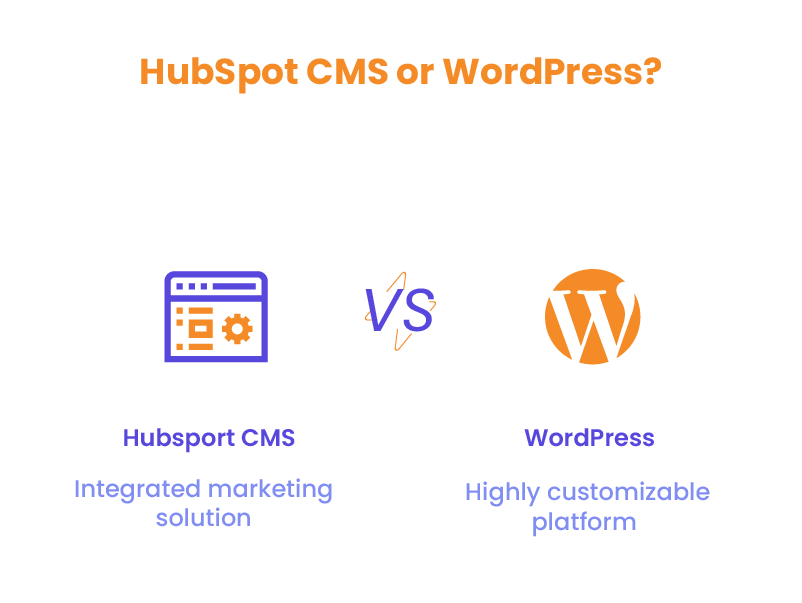
When comparing HubSpot CMS vs WordPress, it’s essential to understand their core features and typical use cases. Both platforms serve as content management systems but cater to different primary audiences and business needs.
HubSpot CMS
HubSpot CMS, or CMS Hub, is an integrated, all-in-one solution designed with marketers in mind. It’s part of the larger HubSpot ecosystem, which includes Customer Relationship Management (CRM) and marketing automation tools. This integration is a key factor in the HubSpot CMS vs WordPress debate for businesses focused on inbound marketing strategies.
Key features include:
- Seamless integration with HubSpot’s CRM
- Built-in marketing tools for lead generation and nurturing
- User-friendly interface with drag-and-drop editing
- Focus on inbound marketing methodologies
- Adaptive testing and personalization capabilities
HubSpot CMS is particularly popular among businesses prioritizing a cohesive marketing and sales approach. For example, a small B2B software company might choose HubSpot CMS to streamline its marketing efforts. They can create landing pages, blog posts, and email campaigns within the same platform while tracking leads and customer interactions through the integrated CRM. This holistic approach can significantly simplify marketing operations for teams without extensive technical resources.
WordPress
WordPress is a versatile CMS that powers over 43% of all websites on the internet. It’s known for its flexibility and extensive customization options, making it a strong contender in the HubSpot CMS vs WordPress comparison for businesses that require more control over their website’s functionality.
Key features include:
- Vast ecosystem of themes and plugins
- Large, supportive community of developers and users
- Highly customizable, suitable for any type of website
- Open-source nature, allowing for complete control over your site
- Regular updates and improvements
WordPress CMS is favored by a wide range of users, from bloggers and small business owners to large corporations and e-commerce sites. Its flexibility makes it suitable for various use cases. For instance, an e-commerce business might choose WordPress with WooCommerce to create a fully customized online store with advanced features like product variations, inventory management, and multiple payment gateways. Similarly, a media company could use WordPress CMS to manage a large volume of content across multiple categories, leveraging its robust content management capabilities and SEO plugins to improve visibility.
In the HubSpot CMS vs WordPress comparison, WordPress CMS often stands out for its ability to be molded into virtually any type of website, from simple blogs to complex web applications. However, this flexibility comes with a steeper learning curve and more hands-on management compared to HubSpot CMS.
Cost Comparison: HubSpot CMS vs WordPress
When evaluating HubSpot CMS vs WordPress, cost is often a significant factor. Both platforms have different pricing models that can impact the total cost of ownership over time.
Initial Setup Costs
- HubSpot CMS:
- Operates on a subscription model
- CMS Hub Starter: $15/month (billed annually)
- CMS Hub Professional: $450/month (billed annually)
- CMS Hub Enterprise: $1,500/month (billed annually)
While these costs might seem high compared to WordPress’s free core software, it’s important to consider what’s included. HubSpot CMS’s subscription fees cover hosting, security, updates, and access to its suite of marketing tools. For a business looking to streamline its marketing efforts, this all-in-one solution can be cost-effective in the long run.
For example, a mid-sized B2B company might choose the CMS Hub Professional plan. At $450/month, they get a robust CMS integrated with marketing tools, eliminating the need for separate subscriptions to email marketing software, landing page builders, and analytics tools. This integration can lead to significant time savings and more efficient marketing operations.
- WordPress:
- The core software is free, but you’ll need to factor in costs for:
- Domain name: $10-$15/year
- Hosting: $5-$100+/month depending on your needs
- Premium theme: $30-$200 (one-time fee or annual license)
- Essential plugins: $0-$200/year
- The core software is free, but you’ll need to factor in costs for:
WordPress’s initial costs can vary widely based on your choices. Hosting, in particular, can significantly impact your site’s performance and security. Here’s a breakdown of common hosting options:
- Shared Hosting: $5-$20/month Suitable for small websites with low traffic. However, performance can be inconsistent.
- Managed WordPress Hosting: $30-$100/month Offers better performance, security, and WordPress-specific features. A good choice for businesses relying heavily on their website.
- VPS or Dedicated Hosting: $100-$400+/month For high-traffic websites or those requiring specific server configurations.
While WordPress itself is free, achieving a professional, feature-rich site often requires investment in premium themes, plugins, and quality hosting. These costs can add up, especially for businesses needing advanced functionality.
Maintenance Costs
- HubSpot CMS:
- Included in the subscription fee
- Updates, upgrades, security, and backups are managed by HubSpot
- Technical support is included
HubSpot’s managed services can significantly reduce the time and resources needed for website maintenance. For marketing teams without dedicated technical staff, this can be a major advantage. They can focus on creating and optimizing content rather than worrying about updates, security patches, or server management.
- WordPress:
- Ongoing costs may include:
- Plugin renewals: $0-$200/year
- Theme updates: $0-$100/year
- Security measures: $50-$200/year
- Developer costs for updates and maintenance: $500-$2000/year (if outsourced)
- Ongoing costs may include:
WordPress maintenance can be more hands-on, requiring regular updates to the core software, themes, and plugins. While this can be managed in-house by technically savvy teams, many businesses choose to hire developers or agencies for ongoing maintenance.
For instance, an e-commerce site running on WordPress might need regular updates to ensure compatibility between WooCommerce, their chosen theme, and various plugins for payment processing, shipping, and inventory management. They might spend $1000-$2000 annually on developer time to manage these updates and troubleshoot any conflicts.
Hidden Costs
- HubSpot CMS:
- Additional marketing tools or higher-tier plans for advanced features
- Training costs for team members to fully utilize the platform
- WordPress:
- Custom development for specific functionalities
- Time investment in learning and managing the platform
- Potential costs of migrating to a new host or upgrading server resources as your site grows
While WordPress may seem more cost-effective initially, it’s important to consider the total cost of ownership over time, including the value of your time spent on maintenance and updates. HubSpot CMS, while having a higher upfront cost, may save time and resources in the long run due to its all-in-one nature and managed services.
WordPress Development Agency
Experience WordPress development with our custom-coded websites. Perfect for agencies, our reliable service ensures timely delivery and client satisfaction.
Ease of Use & User Experience
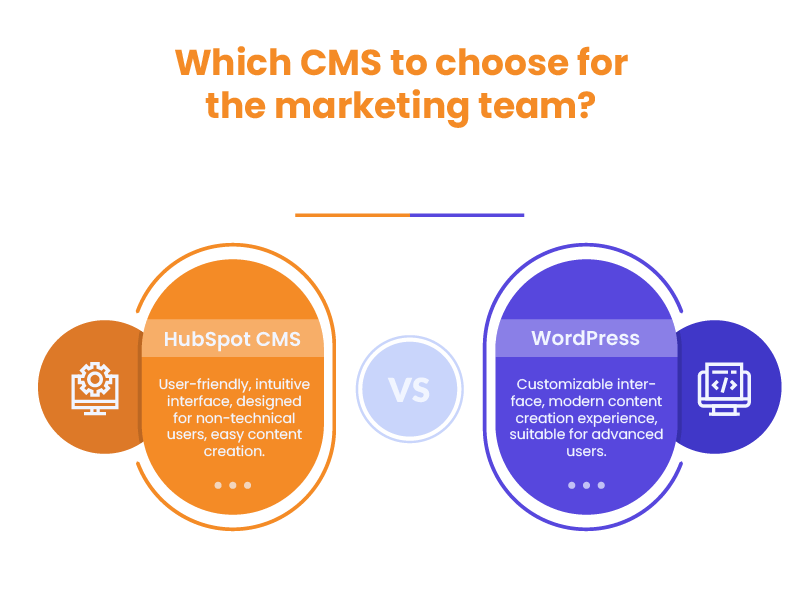
The user experience can significantly impact your team’s productivity and satisfaction with the platform. In the CMS comparison of HubSpot and WordPress, ease of use is an area where significant differences emerge.
User Interface
- HubSpot CMS:
- Known for its intuitive, user-friendly interface
- Designed with non-technical users in mind
- Consistent design across all HubSpot tools
- Drag-and-drop page editor for easy content creation
HubSpot CMS’s interface is designed to be accessible to marketers and content creators without technical backgrounds. The consistency across HubSpot’s tools means that users familiar with HubSpot’s CRM or marketing tools will find the CMS interface familiar and easy to navigate.
For example, a marketing team member can easily create a new landing page, add forms to capture leads, and set up email workflows all from the same interface. This integrated approach can significantly streamline marketing operations and reduce the learning curve for new team members.
- WordPress:
- Admin dashboard can be customized to user preferences
- Block editor (Gutenberg) provides a modern content creation experience
- Interface can vary depending on the theme and plugins installed
WordPress’s admin interface, while customizable, can become complex as you add more plugins and functionality to your site. Each plugin often adds its own menu items and settings pages, which can be overwhelming for new users.
However, for users who need granular control over their website, this complexity can be an advantage. A web developer or experienced WordPress user can customize the admin dashboard to streamline workflows and access frequently used features more easily.
Learning Curve
- HubSpot CMS:
- Generally easier to learn, especially for marketing-focused teams
- Comprehensive onboarding process and tutorials provided by HubSpot
- Limited need for technical knowledge to perform basic tasks
HubSpot CMS is designed to be user-friendly, with a focus on marketing and business users rather than developers. For example, a small business owner with limited technical knowledge could set up a professional-looking website, create landing pages, and start email marketing campaigns relatively quickly using HubSpot CMS.
HubSpot provides extensive documentation, video tutorials, and even certification courses to help users make the most of their platform. This structured learning approach can be beneficial for teams looking to quickly adopt and utilize the CMS effectively.
- WordPress:
- Basic content management is relatively simple to grasp
- Steeper learning curve for advanced customizations
- Extensive community resources and tutorials available
- May require some technical knowledge for optimal use
While creating and publishing basic content on WordPress CMS is straightforward, fully leveraging its capabilities often requires a deeper technical understanding. For instance, customizing themes, managing plugins, and optimizing performance often involve working with PHP, CSS, and sometimes JavaScript.
However, WordPress’s popularity means there’s a wealth of learning resources available. From official documentation to countless blogs, forums, and video tutorials, users can find guidance on almost any aspect of WordPress development and management.
Content Editing
- HubSpot CMS:
- Visual editor with drag-and-drop functionality
- Content creation is streamlined and optimized for marketing goals
- Built-in SEO and conversion optimization tools
HubSpot’s content editor is designed with marketers in mind. For example, when creating a landing page, users can easily add and customize forms, calls-to-action, and personalized content based on visitor data from the CRM. The editor also provides real-time SEO suggestions and previews of how the page will appear on different devices.
- WordPress:
- Gutenberg block editor provides a flexible content creation experience
- Wide range of third-party page builders available
- Extensive formatting options and shortcodes
WordPress’s Gutenberg editor offers a block-based approach to content creation, allowing for flexible layouts without needing to write code. Users can create complex page layouts by combining and customizing different content blocks.
For even more advanced design capabilities, many WordPress users turn to page builder plugins like Elementor or Divi. These tools offer drag-and-drop interfaces and pre-designed templates, bridging the gap between WordPress’s flexibility and the user-friendliness of platforms like HubSpot CMS.
Both platforms offer robust content editing capabilities, but HubSpot CMS’s tools are more tightly integrated with marketing functions, while WordPress offers more flexibility and customization options.
Design Customization: HubSpot CMS vs WordPress
When comparing HubSpot CMS vs WordPress, design customization is a crucial factor for businesses looking to create a unique online presence. Both platforms offer various options for customizing the look and feel of your website, but their approaches differ significantly.
HubSpot CMS Design Customization
HubSpot CMS provides a structured approach to design customization:
- Templates and Modules: HubSpot offers a range of pre-designed templates and modules that can be easily customized to match your brand. These building blocks allow for quick and consistent design across your site.
- Theme Marketplace: The HubSpot marketplace features a selection of professional themes designed specifically for the platform. While not as extensive as WordPress’s theme ecosystem, these themes are optimized for HubSpot’s features and integrations.
- HubSpot Design Tools: HubSpot provides a visual editor that allows for drag-and-drop customization of page layouts. This makes it easy for non-technical users to make design changes without touching code.
- Custom Development: For more advanced customizations, HubSpot offers the HubL templating language. While this provides flexibility, it may require developer assistance for complex changes.
Example: A marketing agency using HubSpot CMS could quickly create client-specific landing pages using pre-designed templates and modules. They can easily customize colors, fonts, and layouts to match each client’s brand without needing extensive design skills.
WordPress Design Customization
WordPress is renowned for its flexibility in design customization:
- Extensive Theme Ecosystem: WordPress boasts thousands of free and premium themes, covering virtually every industry and design style. This vast selection is a key advantage in the HubSpot CMS vs WordPress comparison.
- Page Builders: Popular page builder plugins like Elementor, Divi, or Beaver Builder offer drag-and-drop interfaces for creating custom layouts without coding knowledge.
- Full Code Access: WordPress provides complete access to your site’s HTML, CSS, and PHP files. This allows for unlimited customization possibilities for those with technical skills.
- Child Themes: WordPress supports child themes, allowing you to make customizations that won’t be overwritten by theme updates.
Example: An e-commerce business using WordPress could start with a WooCommerce-compatible theme, then use a page builder to create custom product landing pages. They could further customize the checkout process by modifying theme files directly, achieving a unique shopping experience tailored to their brand and customer needs.
Design Customization Comparison
- Ease of Use: HubSpot CMS generally offers a more streamlined, user-friendly approach to design customization. Its templates and modules are designed to work together seamlessly, reducing the risk of design inconsistencies.
- Flexibility: WordPress provides more design flexibility, especially for users with technical skills or those willing to invest in custom development.
- Learning Curve: HubSpot’s design tools have a gentler learning curve for marketing-focused teams. WordPress’s flexibility comes with a steeper learning curve, particularly for advanced customizations.
- Consistency: HubSpot CMS’s structured approach helps maintain design consistency across your site. With WordPress, maintaining consistency across a large site can require more effort and planning.
In the HubSpot CMS vs WordPress debate, WordPress generally offers more design possibilities, especially for users with some technical skills or those working with developers. However, HubSpot CMS provides a more streamlined approach to design that may be sufficient and even preferable for many businesses, particularly those focused on marketing-driven websites.

Flexibility & Customization: HubSpot CMS vs WordPress
The ability to tailor your website to your specific needs is crucial for many businesses. Let’s explore how HubSpot CMS and WordPress compare in terms of flexibility and customization options.
WordPress Customization
WordPress is renowned for its flexibility, offering nearly unlimited possibilities for customization:
- Themes:
- Thousands of free and premium themes available
- Themes for various industries and website types
- Ability to create fully custom themes
- Plugins:
- Over 55,000 plugins in the WordPress repository
- Extend functionality without coding
- Popular plugins like WooCommerce for e-commerce, Yoast for SEO, and Jetpack for security and performance
- Code-level customization:
- Complete access to the source code
- Ability to modify PHP, HTML, CSS, and JavaScript
- Create custom post types and taxonomies
WordPress’s open-source nature means that if you can imagine a feature, it’s likely possible to implement it. This makes WordPress a versatile choice in the HubSpot CMS vs WordPress comparison, especially for businesses with unique requirements or those that anticipate needing a wide range of functionalities as they grow.
HubSpot CMS Customization
While not as infinitely flexible as WordPress, HubSpot CMS offers significant customization options:
- Built-in modules:
- Drag-and-drop modules for easy layout customization
- Pre-built modules for common elements like forms, CTAs, and social sharing
- HubSpot marketplace:
- Growing selection of templates, modules, and integrations
- Vetted by HubSpot for quality and compatibility
- Integration with HubSpot tools:
- Seamless connection with CRM and marketing automation tools
- Custom objects for tailoring data structure to your business needs
- Development tools:
- HubL templating language for advanced customizations
- Custom modules for reusable, branded content elements
Limitations
- WordPress: The abundance of options can lead to decision paralysis or over-complication of your site. Managing multiple plugins and their interactions can become complex.
- HubSpot CMS: May feel limiting for users who require highly specific or unique functionalities. Advanced customizations often require knowledge of HubSpot’s specific development practices.
While WordPress offers more raw customization potential, HubSpot CMS provides a more structured approach that can be beneficial for maintaining consistency and ease of use, especially in marketing-focused organizations.
Example: A small business might start with WordPress, using a multipurpose theme and a handful of plugins to create a basic website with a blog and contact form. As they grow, they can easily add an e-commerce section with WooCommerce, implement advanced SEO practices with Yoast, and even develop custom plugins for unique features.
On the other hand, a B2B company using HubSpot CMS could quickly set up a website integrated with their CRM, easily implement lead scoring based on website interactions, and use HubSpot’s built-in A/B testing tools to optimize their pages – all without needing to integrate multiple third-party tools.
In the HubSpot CMS vs WordPress debate, the choice often comes down to whether you prioritize unlimited flexibility (WordPress) or a more structured, marketing-focused approach (HubSpot CMS).

SEO Capabilities: HubSpot CMS vs WordPress
Search Engine Optimization is crucial for driving organic traffic to your website. Both HubSpot CMS and WordPress offer strong SEO features, but their approaches differ significantly.
Built-in SEO Features
HubSpot CMS:
- Comprehensive built-in SEO tools
- On-page optimization suggestions as you create content
- Content strategy tools to plan and track topic clusters
- Automatic sitemap generation and submission
- Integration with HubSpot’s analytics for tracking SEO performance
HubSpot CMS’s integrated approach to SEO is a significant advantage for marketing teams. The platform provides real-time SEO suggestions as you create content, helping even non-SEO experts optimize their pages effectively.
WordPress:
- Basic SEO features available in core (like customizable permalinks)
- Relies heavily on SEO plugins for comprehensive features
- Popular plugins like Yoast SEO or Rank Math offer extensive SEO capabilities
- Flexibility to choose and combine SEO tools based on specific needs
WordPress’s advantage is the ability to customize your SEO toolkit using various plugins. This allows for more advanced SEO strategies but requires more setup and management.
On-page SEO
HubSpot CMS:
- Real-time SEO suggestions as you create content
- Topic cluster tool to plan and execute content strategies
- Automatic internal linking suggestions
- Built-in keyword research tools
HubSpot CMS’s content strategy tool is particularly powerful for implementing pillar page strategies and improving overall site architecture for SEO.
WordPress:
- With the right plugins, offers detailed on-page SEO analysis
- Customizable meta tags and descriptions
- Ability to control indexation at a granular level
- Advanced users can implement schema markup for rich snippets
WordPress’s flexibility allows for very detailed on-page SEO control, but it often requires more SEO knowledge to implement effectively.
Page Speed and Mobile Optimization
HubSpot CMS:
- Built-in optimizations for page speed
- Automatic image compression and lazy loading
- Content delivery network (CDN) included
- Mobile-responsive templates by default
HubSpot CMS has an edge in out-of-the-box performance, which is increasingly important for SEO.
WordPress:
- Requires manual tweaks or additional plugins to optimize for speed
- Many themes are responsive by default, but quality can vary
- Plugins available for advanced speed optimization (like caching plugins)
- More control over specific optimizations, but requires more technical knowledge
WordPress offers more control for those willing to put in the effort, allowing for potentially higher levels of optimization.
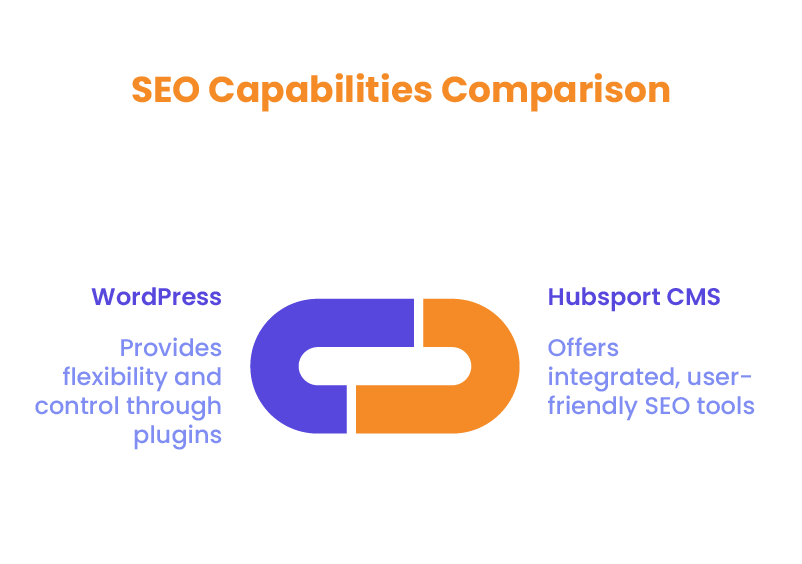
In the HubSpot CMS vs WordPress SEO comparison, HubSpot CMS offers a more integrated and user-friendly approach to SEO, making it easier for marketing teams to implement SEO best practices without extensive technical knowledge. WordPress, on the other hand, offers more flexibility and control for advanced SEO strategies but requires more setup and ongoing management.
Scalability: Which Platform Grows with Your Business?
As your business expands, your website needs to keep pace. Let’s examine how HubSpot CMS and WordPress handle growth and increasing demands.
HubSpot CMS Scalability
HubSpot CMS is designed to scale with growing businesses, particularly those focused on inbound marketing:
- Marketing Scalability:
- Seamless integration with HubSpot’s marketing tools
- Easy to implement advanced marketing strategies as your team grows
- Scales from basic lead capture to complex, personalized marketing campaigns
- Content Scalability:
- Content partitioning for managing multiple brands or regions
- Robust content staging and publishing workflows
- Version control and content scheduling
- Technical Scalability:
- Managed hosting with automatic scaling to handle traffic spikes
- Built-in CDN for global performance
- Regular updates and improvements managed by HubSpot
- Team Scalability:
- User roles and permissions for growing teams
- Collaboration tools built into the platform
- Centralized asset management
HubSpot CMS is particularly well-suited for businesses that plan to leverage the entire HubSpot ecosystem for marketing, sales, and service as they grow. Its all-in-one nature can simplify operations as your business scales.
WordPress Scalability
WordPress’s open and flexible nature allows for various scalability approaches:
- Content Scalability:
- No practical limits on the amount of content
- Supports millions of pages and posts
- Custom post types for organizing diverse content types
- Traffic Scalability:
- Can handle high traffic volumes with the right hosting and optimization
- Options for dedicated or cloud hosting for high-traffic sites
- Caching plugins and CDN integration for performance
- Functional Scalability:
- Vast plugin ecosystem allows for adding new features as needed
- Custom development possible for unique requirements
- API available for integrating with other systems
- E-commerce Scalability:
- Platforms like WooCommerce can scale to handle large product catalogs
- Supports multiple payment gateways and shipping methods
- Can be optimized for high-volume transactions
WordPress offers more flexibility in how you scale but may require more hands-on management and technical expertise. It’s particularly strong for content-heavy sites or businesses with unique functional requirements.
In the HubSpot CMS vs WordPress scalability comparison, both platforms can support growing businesses, but in different ways. HubSpot CMS provides a more structured, marketing-focused scalability path, while WordPress offers more flexibility in how you approach growth.

Integrations and Plugins
The ability to extend functionality through integrations and plugins is a key factor for many businesses when comparing HubSpot CMS vs WordPress.
HubSpot CMS Integrations
- Seamless integration with HubSpot’s CRM and marketing tools
- Growing marketplace of integrations
- Particularly strong in sales and marketing integrations
- API available for custom integrations
HubSpot CMS shines in its native integration with HubSpot’s suite of tools. This can be a significant advantage for businesses heavily invested in inbound marketing and CRM strategies.
WordPress Plugins
- Vast ecosystem of over 55,000 plugins
- Plugins are available for virtually any functionality you might need
- Mix and match plugins to create a custom solution
- Potential drawbacks include plugin conflicts and security vulnerabilities
WordPress’s extensive plugin ecosystem is one of its strongest features in the HubSpot CMS vs WordPress comparison. However, managing multiple plugins can become complex and may impact site performance if not done carefully.
Security and Support
Keeping your website secure and having reliable support is crucial for business continuity.
WordPress Security
- Open-source nature makes it a common target for hackers
- Security largely depends on proper maintenance, updates, and security plugins
- Regular backups and security audits are essential
- Responsibility for security often falls on the website owner or their developer
HubSpot CMS Security
- Managed security features included in the subscription
- Automatic updates and backups
- SSL certificate included
- Dedicated security team monitoring for threats
Support Systems
- HubSpot CMS: 24/7 customer support included in all plans
- WordPress: Relies on community forums and documentation. Premium support is available through hosting providers or paid services
Regarding security and support, HubSpot CMS offers a more managed, hands-off approach, which can be advantageous for businesses without dedicated IT resources.
Dedicated team
Scale your agency with a dedicated WordPress developer. With great communication, we make sure to keep your builds on track and on time.
Long-Term Maintenance & Updates
When comparing HubSpot CMS vs WordPress, long-term maintenance and updates are crucial factors to consider. Both platforms have different approaches to keeping your website secure and up-to-date.
WordPress Maintenance
WordPress requires regular maintenance to ensure optimal performance and security:
- Core Updates: WordPress releases major updates 3-4 times a year, with minor updates more frequently. These need to be applied manually or set up for automatic updates.
- Plugin Updates: With an average WordPress site using 20-30 plugins, managing plugin updates can be time-consuming. Each update needs to be checked for compatibility with your theme and other plugins.
- Theme Updates: Themes also require regular updates, which may sometimes conflict with plugins or custom code.
- Security: WordPress sites need constant vigilance against security threats. This often involves installing and configuring security plugins, regular backups, and monitoring for vulnerabilities.
The cost of maintenance for WordPress can vary:
- DIY Approach: Time-intensive but low direct cost. Requires technical knowledge and regular attention.
- Managed WordPress Hosting: $30-$100/month, often includes updates and basic security measures.
- Professional Maintenance Services: $50-$500/month, depending on the size and complexity of your site.
HubSpot CMS Maintenance
HubSpot CMS takes a more hands-off approach to maintenance:
- Automatic Updates: HubSpot manages all core system updates automatically, ensuring your site is always running the latest version.
- Security: Built-in security features, including SSL, web application firewall, and 24/7 threat monitoring, are included in your subscription.
- Backups: Automatic daily backups are included, with the ability to restore your site easily if needed.
The cost of maintenance for HubSpot CMS is largely built into the subscription fee:
- Updates and security are included in all plans.
- Time investment is minimal, as most maintenance tasks are handled automatically.
While HubSpot CMS has a higher upfront cost, the reduced time investment and included maintenance services can make it more cost-effective in the long run, especially for businesses without dedicated IT resources.
Which CMS Should You Choose?
The right choice in the HubSpot CMS vs WordPress debate depends on your specific business needs, resources, and goals. Here’s a general guide:
HubSpot CMS might be better if:
- You’re heavily focused on inbound marketing and lead generation
- You want an all-in-one solution that integrates CMS, CRM, and marketing tools
- You prefer a managed solution with less technical overhead
- Your team is more marketing-focused than tech-savvy
WordPress might be better if:
- You need a highly customizable platform for a unique website
- You’re comfortable with more hands-on management of your website
- You’re working with a tighter budget
- You need specific functionalities that are better served by WordPress plugins
- You have technical resources available for customization and maintenance
Final Thoughts: HubSpot CMS vs WordPress
Both HubSpot CMS and WordPress are powerful platforms with their own strengths. HubSpot CMS shines in its marketing integration and ease of use, while WordPress offers unparalleled flexibility and customization options.
Consider your business goals, technical resources, and long-term plans when making your decision. Remember, the best CMS for you is the one that aligns most closely with your specific needs and helps you achieve your business objectives efficiently. Contact our team at White Label Agency today and we’ll help you to make an informed decision.
FAQs
Can I switch from WordPress to HubSpot?
Yes, HubSpot offers migration services and tools to help you move your content from WordPress to HubSpot CMS.
Is HubSpot better for lead generation?
Generally, yes. HubSpot’s integrated CRM and marketing tools make it particularly strong for businesses focused on lead generation and nurturing.
What’s the cost difference in the long run?
While WordPress has lower upfront costs, HubSpot CMS may save time and resources in the long run due to its all-in-one nature and managed services. The total cost will depend on your specific needs and how you use each platform.
Can I use HubSpot CMS for e-commerce?
Yes, HubSpot CMS supports e-commerce functionality, especially through integrations. However, WordPress with WooCommerce is often considered more robust for large-scale e-commerce operations.
Do I need coding skills to use either platform?
Basic websites can be created on both platforms without coding skills. However, advanced customizations on WordPress often require coding knowledge, while HubSpot CMS is generally more user-friendly for non-technical users.