


- What is Content Migration?
- Types of Content Migration
- The Importance of a Website Content Migration Plan
- Steps to Create a Successful Website Content Migration Plan
- Executing the Content Migration
- Post-Migration Testing & Troubleshooting
- Best Tools for Content Migration
- Common Pitfalls and How to Avoid Them
- Ensure a Seamless Content Migration with Expert Planning
Content migration is the process of transferring digital content from one platform to another, often occurring during website redesigns, CMS upgrades, or domain changes. It’s a critical step for businesses looking to update their website, improve its performance, or change hosting providers. A well-executed website content migration plan is essential for minimizing downtime, protecting SEO rankings, and ensuring a seamless transition for users.
By following a structured approach, businesses can mitigate risks, optimize their content for search engines, and ultimately achieve their goals for the migrated website.
In this blog, we will delve into the key steps involved in successful migration, providing practical advice and best practices. We’ll cover topics such as planning, execution, and post-migration optimization to help you achieve a smooth and effective transition.

What is Content Migration?
Content migration is the process of transferring website content from one platform or domain to another. It involves moving various types of content, such as text, images, videos, and code, to a new location.
The primary purpose of migration is to ensure that valuable website content remains accessible and functional after a significant change. This often occurs during a website redesign, platform change, or company merger.
Here are some common scenarios where content migration is necessary:
- CMS Changes: When a business decides to switch from one content management system (CMS) to another, migration is essential to preserve existing content and ensure a smooth transition.
- Rebranding: During a rebranding process, businesses may need to update their website’s content to reflect the new brand identity. Content migration helps in transferring content to the new website while maintaining its structure and SEO value.
- Mergers and Acquisitions: When two companies merge or one acquires another, migration is often required to integrate the websites of both entities into a unified platform. This involves combining content from both sites and ensuring a seamless user experience.

Types of Content Migration
Content migration comes in different forms depending on the specific needs of the business or website. Understanding the types of data migration for websites can help in choosing the right approach and tools for the task, especially when considering SEO, performance, and functionality.
1. CMS Migration
A CMS migration involves moving content from one content management system to another. This type of SEO content migration is often needed when businesses outgrow their current platform or require more advanced functionality.
During a CMS migration, it’s crucial to ensure that all content, meta tags, URLs, and SEO configurations are transferred seamlessly to avoid any drops in search rankings.
2. Platform Upgrades
Another type of migration occurs during platform upgrades. As websites evolve, they may require updates or changes to the hosting platform, programming language, or database structure. In these cases, data migration for the website ensures that content, databases, and files are safely transferred to the new environment. This type of migration is especially important for businesses that want to improve website speed, security, or scalability.
3. Manual vs. Automated Migration
When performing a content migration, businesses often need to decide between a manual or automated process. Manual migration may be more appropriate for smaller websites or when each piece of content needs to be carefully curated.
On the other hand, automated migration tools are ideal for larger sites where manually moving data would be time-consuming. In either case, ensuring that SEO elements and structured data are properly handled is key to a successful migration.
The Importance of a Website Content Migration Plan
Planning is key for successful migration. A good plan acts as a guide when moving content from one platform to another. Without planning, businesses might face problems like losing search rankings, broken links, or corrupted data.
Good planning helps spot and fix potential issues early. It involves:
- Mapping out each step of the move
- Making sure all content, behind-the-scenes info, and search engine settings transfer correctly
- Testing everything before going live
- Setting up redirects to keep links working
Poor planning can have serious consequences:
- If search engine elements (like web addresses, page descriptions, and incoming links) aren’t moved properly, the website might drop in search rankings
- Broken links or missing pages can frustrate users
- Lost data can lead to incomplete content on the new site

Steps to Create a Successful Website Content Migration Plan
Below you can explore the key steps to create a comprehensive plan for a successful content migration.
A. Pre-migration Preparation
- Perform a Content Audit
Start by conducting a thorough audit of all existing content on your website. This process helps in identifying which content is valuable, which needs updating, and what can be removed. Analyzing the performance and relevance of existing pages will help you prioritize what to migrate and what to leave behind. - Prioritize High-Value Content
Not all content is created equal. Identify and prioritize the migration of high-value content, such as pages with high traffic, essential landing pages, and well-performing blog posts. This ensures that the most critical content is transferred first, reducing the risk of losing important data. - Organize Files and Media
Establish clear naming conventions for files, images, and documents to ensure consistency during the content migration. Additionally, plan for URL structures to maintain a logical and SEO-friendly hierarchy in the new environment. Well-organized media files help streamline the migration process and reduce errors. - SEO Considerations
Your website migration plan should include preserving on-page SEO elements such as titles, meta descriptions, and header tags. Set up 301 redirects for any URLs that will change during the migration to avoid broken links and retain your SEO rankings. Also, ensure that all metadata is properly transferred.
B. Establishing a Migration Team
Having the right team in place is critical for a smooth migration. Here are the key roles required:
- Project Manager: Oversees the entire process, ensuring timelines and goals are met.
- Developers: Handle the technical aspects of the migration, including coding and platform adjustments.
- Content Managers: Responsible for managing and migrating the actual content.
- SEO Specialists: Ensure that the migration doesn’t harm SEO rankings and that best practices are followed.
C. Setting Goals & KPIs
Clearly define the goals for your content migration and set key performance indicators (KPIs) to measure success. Some important metrics include:
- Traffic Retention: Monitor organic traffic to ensure it stays stable or improves post-migration.
- Page Speed: Measure any improvements in page loading times on the new platform.
- User Experience: Assess usability and design improvements that enhance the user experience.
D. Backup and Version Control
Before starting the migration, it’s crucial to create a full backup of your website. Backups ensure that in case of errors or issues during the migration, you have a version to restore. Additionally, creating a rollback plan allows you to revert to the previous version quickly if something goes wrong. Version control helps maintain a record of content changes and ensures nothing is permanently lost during the process.

Executing the Content Migration
Once your website migration plan is in place, it’s time to execute the actual migration. Proper execution is key to maintaining SEO integrity, ensuring data is transferred correctly, and preserving the layout and user experience of your website.
A. Mapping URLs and Redirects
One of the most critical steps in the migration process is mapping URLs from the old site to the new one. This ensures that all existing pages are correctly transferred and that no valuable SEO rankings are lost.
- How to Ensure SEO Integrity
During content migration, it’s essential to maintain your existing URL structures as much as possible. If URLs need to change, implement 301 redirects to ensure search engines and users are directed to the correct pages. This helps prevent traffic loss and maintains your SEO integrity. - Avoiding Broken Links and Maintaining a Backlink Profile
To avoid broken links, thoroughly check internal and external links on your site. Use tools to identify any broken links during the website migration plan, and set up proper redirects for any URL changes. Maintaining a clean backlink profile is also crucial—ensure that any inbound links to your site still work after the migration.
B. Migrating Data and Content
During the content migration, it’s important to handle the data and content with care, ensuring everything transfers smoothly.
- Best Practices for Migrating Text, Media, and Databases
Use automated tools or plugins where possible to transfer large amounts of text, media files, and databases. Before beginning the migration, test the process on a staging site to confirm everything works as expected. Backups of all content and databases are crucial to avoid any data loss during the transfer. - Handling Structured vs. Unstructured Content
Structured content, such as databases or SEO metadata, requires special attention to ensure it’s mapped correctly in the new environment. Unstructured content, such as blog posts or multimedia files, can often be migrated more easily but still requires organization. Ensuring both types of content are successfully transferred is essential to a seamless content migration.
C. Maintaining Content Formatting and Layout
Another key aspect of content migration is ensuring that your website’s formatting and layout remain intact on the new platform.
- Importance of Layout Preservation Across Platforms
During a website migration, ensuring that the formatting and structure of your pages are preserved is critical for both user experience and SEO. Any shifts in layout can confuse users and negatively impact SEO performance. Use responsive design techniques to ensure consistency across devices. - Dealing with Custom Code or Templates
If your website uses custom code or unique templates, migrating these elements can be challenging. It’s essential to review all custom elements during the content migration to ensure that they function correctly on the new platform. This may require some manual adjustments or code refinements to match the new environment.

Post-Migration Testing & Troubleshooting
Once the content migration is complete, thorough testing is essential to ensure the new site functions as expected and that SEO performance remains intact. A well-executed website migration plan includes post-migration testing to identify and fix any issues that may arise.
A. Checking SEO and Analytics
After the migration, it’s important to verify that all SEO settings and analytics tracking are working correctly.
- Verifying Google Analytics and Search Console Settings
Ensure that Google Analytics and Search Console are properly configured on the new site. This includes checking that all tracking codes are in place and that the data is being recorded accurately. Submit the new sitemap to Google Search Console to help search engines crawl your updated site efficiently. - Monitoring Performance and Ranking Changes
Use SEO tools to monitor your website’s performance and rankings post-migration. Watch for any significant drops in traffic or rankings, which may indicate issues with the website content migration plan. It’s normal to see minor fluctuations initially, but consistent monitoring helps identify and address any long-term SEO problems.
B. Functional Testing
During the post-migration phase, it’s crucial to test all functional aspects of your website to ensure everything works smoothly.
- Ensuring All Forms, Scripts, and Functionalities Work Correctly
Test all interactive elements on your site, including contact forms, scripts, and any dynamic features like sliders or search bars. Make sure all functionalities are intact and operate correctly on the new platform. This step ensures users can navigate your site and interact with it without encountering errors.
C. Broken Link Testing
Broken links can negatively impact both user experience and SEO, so identifying and fixing them is a top priority post-migration.
- Tools to Find and Fix Broken Links
Use tools like Screaming Frog or Google Search Console to scan your site for broken links. These tools will help you identify any broken internal or external links that occurred during the content migration. Once detected, fix broken links by either updating the URL or setting up 301 redirects to the correct pages.
D. User Experience Testing
Testing the user experience is a key part of post-migration troubleshooting, ensuring that your site remains fast, accessible, and user-friendly.
- How to Test Page Load Times and Mobile-Friendliness
Use tools like Google PageSpeed Insights or GTmetrix to check page load times and overall website performance. Additionally, verify that your site is mobile-friendly by testing it across different devices and screen sizes. A fast, mobile-friendly website is crucial for both SEO and user satisfaction. - Collecting User Feedback Post-Launch
After the migration, gather feedback from users to identify any issues they might be encountering. You can collect feedback through surveys, email outreach, or monitoring user behavior with analytics tools. This feedback helps you address any lingering issues and optimize the site for a better user experience.
Best Tools for Content Migration
Whether you’re migrating between content management systems or making smaller updates, having the right tools can help streamline the process and ensure that SEO, data integrity, and backups are maintained. Below are some of the best tools to include in your website content migration plan.
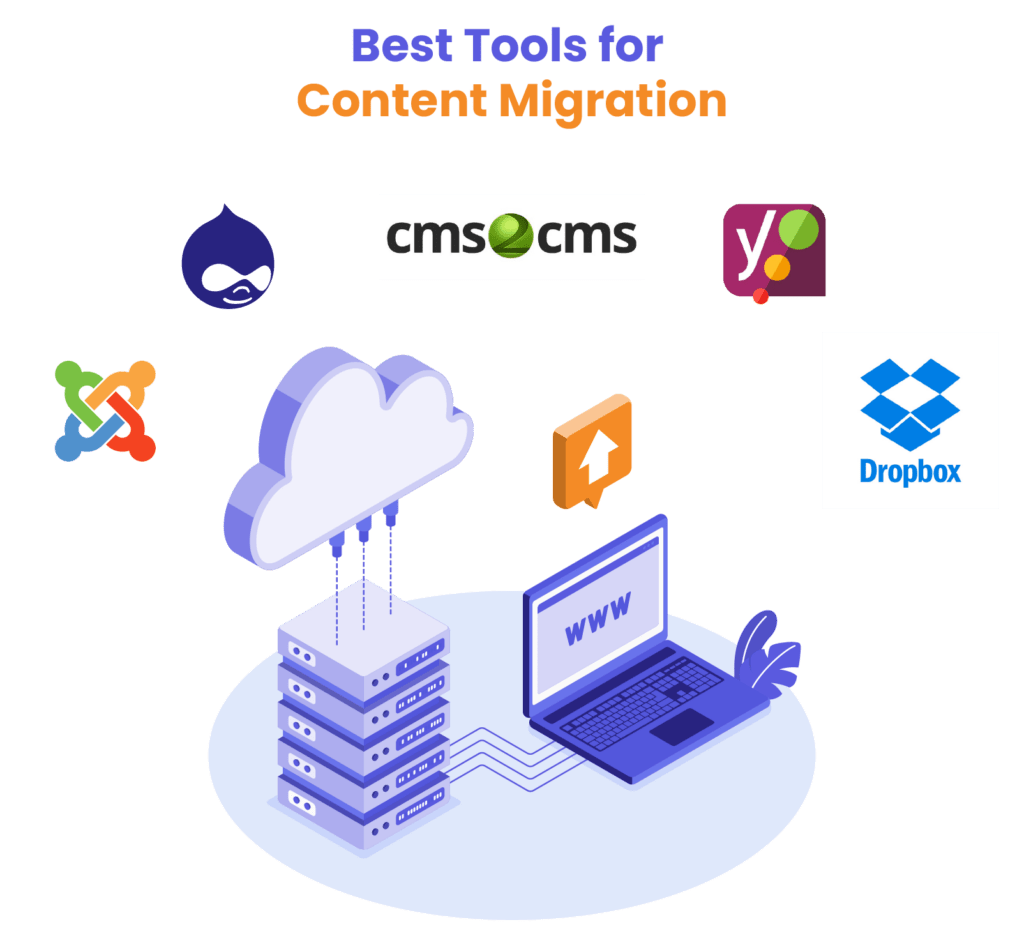
Content Migration Tools
Choosing the right migration tools depends on the platform you’re using and the complexity of the migration.
- CMS-Specific Tools
For platform-specific migrations, many content management systems (CMS) offer their own built-in migration tools. For example, WordPress provides import/export options that allow users to move posts, pages, and media easily between WordPress installations. Similarly, Drupal and Joomla offer similar tools tailored to their platforms to simplify the content migration process. - Generic Migration Tools
If you’re migrating between different platforms or need a more robust solution, generic migration tools like CMS2CMS can help. CMS2CMS automates the migration of data between various CMS platforms, such as WordPress, Drupal, and Joomla, making it easier to transfer large amounts of content without manual input.
SEO Plugins for Migration
Several SEO plugins can help ensure that all SEO settings are correctly transferred and preserved.
- Yoast SEO
This is one of the most popular SEO plugins for WordPress, and it’s particularly useful during migration. It allows you to manage SEO settings like meta descriptions, focus keywords, and SEO-friendly URLs, making sure your new site is optimized post-migration. With Yoast, you can monitor your SEO health and adjust settings as needed. - Redirection Plugins
Redirects are crucial during migration to prevent broken links and ensure that both users and search engines find the right pages. Tools like the Redirection plugin for WordPress allow you to easily set up 301 redirects and manage any changes to your URLs. This helps maintain your website’s SEO profile and avoids potential penalties for broken links.
Backup Tools and Cloud Storage Options
Backing up your website before and during the migration process is essential to avoid data loss. Here are some useful tools to include in your backup plan.
- BackupBuddy
A popular WordPress plugin that simplifies the process of backing up your website, including your database, themes, plugins, and content. This tool allows you to schedule automatic backups and store them securely on cloud services like Google Drive or Dropbox. Having a reliable backup is key to smooth migration and a critical part of your rollback plan. - Cloud Storage Options
Platforms like Google Drive, Dropbox, and Amazon S3 provide secure, scalable solutions for storing website backups. Integrating cloud storage into your website ensures that all critical data is protected and easily accessible if needed during the migration process.
Website as a service
Website As a Service [WAAS] provides complete website solutions including design, hosting, and maintenance through a convenient subscription model for Agencies.
Common Pitfalls and How to Avoid Them
Even with a solid website plan, certain pitfalls can still disrupt the process and negatively impact your website. Below are some of the most common issues that arise during migration and strategies to avoid them.
Ignoring SEO Considerations
One of the biggest mistakes during migration is overlooking SEO. Failing to properly migrate metadata, URLs, and structured data can lead to a significant drop in search engine rankings.
- How to Avoid It: Ensure that SEO is a top priority in your website migration plan. Use tools like Yoast SEO or other SEO plugins to retain essential SEO data, such as meta descriptions, alt text, and heading structures. Don’t forget to implement 301 redirects for any changed URLs to preserve your backlink profile and maintain your rankings.
Incomplete Data Migration
Another common issue is incomplete data migration, which can result in lost images, corrupted files, or missing content. This can happen if files are improperly transferred or overlooked during the process.
- How to Avoid It: Before starting the migration, perform a full audit of your website’s content, media, and databases. Use reliable migration tools and conduct tests to ensure all data is transferred correctly. Creating backups before migration can also serve as a safety net in case of errors, allowing you to restore any lost or corrupted files.
Lack of Post-Migration Monitoring
After completing the migration, some businesses neglect to monitor their website’s performance, which can result in unnoticed issues like broken links, missing content, or SEO drops.
- How to Avoid It: Include post-migration monitoring in your website. Track SEO performance using tools like Google Search Console and analytics platforms to spot ranking or traffic issues. Use broken link checkers to quickly identify any problems and fix them promptly. Ongoing monitoring ensures that any post-migration issues are addressed immediately, minimizing potential disruptions.
Fixing Permission and Access Control Issues
Permissions and access control problems can arise if the migration process alters user roles, access rights, or file permissions. This can lead to restricted access for certain users or public exposure of sensitive data.
- How to Avoid It: Review and document user roles and permissions before starting the migration. After the migration, double-check all permissions and access controls to ensure they are properly set for the new environment. This step is crucial for maintaining security and ensuring that your team can access the necessary parts of the website.
WordPress migration
Migrate to WordPress with White Label Agency. Safe, fast, and expertly managed migration from all major platforms. Contact us to get your free quote today.
Ensure a Seamless Content Migration with Expert Planning
A successful migration requires careful planning, thorough testing, and attention to detail. By following a well-structured website content migration plan, businesses can avoid common pitfalls such as SEO losses, broken links, or data corruption. The importance of testing throughout the process – both pre and post-migration – cannot be overstated, as it ensures that everything functions smoothly on the new platform.
If your business is considering a content migration, consulting with experts can make all the difference. Professional guidance helps to mitigate risks, ensuring a seamless transition and preserving the integrity of your website. Whether it’s SEO preservation, data transfer, or platform compatibility, well-executed migration is key to maintaining a high-performing, user-friendly website.
At White Label Agency, our team ensures a seamless transition with minimal risk, preserving your SEO rankings, data integrity, and user experience. Whether it’s SEO preservation, data transfer, or platform compatibility, we are here to support you in maintaining a high-performing, user-friendly website. Contact us to leverage our expertise in content migration.


