- Overview of Each Platform
- Ease of Use & Setup
- WordPress Development Agency
- Design, Themes & Customization
- Features & Functionality
- SEO & Performance Optimization
- Monetization & Business Potential
- WordPress maintenance plans
- Security, Maintenance & Updates
- Cost Comparison & Value for Money
- Community, Support & Resources
- Use Cases & Recommendations
- Final Verdict & Key Takeaways
- FAQs
When it comes to starting a blog or building a content-driven website, one of the first decisions you’ll face is choosing the right platform. The Blogger vs WordPress debate has been ongoing for years, and for good reason. Each platform has its own strengths, limitations, and ideal use cases.
Understanding what is Blogger and how it compares to WordPress is essential – especially for beginner bloggers, small business owners, and digital marketers looking to establish a strong online presence. Whether you’re aiming to share personal stories, promote a brand, or monetize your content, the platform you choose will impact your site’s design flexibility, SEO performance, security, and long-term growth.
In this comprehensive guide, we’ll break down the major differences between Blogger and WordPress, compare key features like customization, monetization, and ease of use, and help you decide which platform best suits your goals.
Overview of Each Platform

Blogger and WordPress represent two distinct approaches to website creation – one focusing on simplicity and ease of use, the other on flexibility and scalability. Let’s examine what makes each platform unique and who they’re designed to serve.
A. What Is Blogger?
Blogger is a free blogging platform launched by Pyra Labs in 1999 and later acquired by Google in 2003. Known for its simplicity and integration with Google services, Blogger makes it easy for users to start writing and publishing content without technical know-how.
When answering the question “what is Blogger?”, think of it as a plug-and-play tool primarily designed for personal bloggers or hobbyists. It offers limited customization but is ideal for those who want a no-fuss blogging experience.
Target Audience and Ideal Use Cases:
- Beginners looking for a free and simple way to blog
- Casual writers who don’t need advanced features
- Users invested in the Google ecosystem
B. What Is WordPress?
WordPress powers over 40% of all websites globally and comes in two forms:
- WordPress.com – a hosted solution where WordPress handles everything for you
- WordPress.org – a self-hosted version offering full control and flexibility
While WordPress.com is great for beginners, WordPress.org is the go-to choice for businesses, bloggers, and developers who want to build scalable, customizable websites.
Over the years, WordPress has evolved from a blogging tool into a full-fledged content management system (CMS), powering everything from blogs and portfolios to eCommerce stores and enterprise websites.
Key Strengths:
- Massive theme and plugin ecosystem
- Strong SEO and customization options
- Suitable for all levels – from beginners to pros
Recommendation
Dive deeper and explore further the key differences between WordPress.com vs WordPress.org.
C. Quick Comparison Snapshot
Here’s a side-by-side look at some of the key differences in the Blogger vs WordPress debate:
| Feature | Blogger | WordPress (Self-Hosted) |
| Ease of Use | Very beginner-friendly | Moderate learning curve |
| Cost | Free with limited features | Hosting and domain cost required |
| Customization | Limited templates and features | Highly customizable with themes/plugins |
| Monetization | Basic AdSense support | Multiple monetization options |
| SEO Tools | Basic SEO settings | Advanced SEO plugins available |
| Support | Google support & forums | Community support, paid support options |
| Ownership | Google controls your content | You fully own and control your content |
| Best For | Hobby bloggers, beginners | Businesses, professional bloggers, developers |
Ease of Use & Setup
The initial setup process and learning curve play a crucial role in how quickly you can begin publishing content and whether you’ll stick with the platform long-term. Let’s explore deeper how Blogger and WordPress compare when it comes to getting up and running.
A. Account Creation & Onboarding
When comparing Blogger vs WordPress, ease of setup is one of the most noticeable differences – especially for beginners.
Blogger Setup:
Since Blogger is owned by Google, getting started is as easy as signing in with a Google account.
- Go to Blogger.com
- Sign in using your Google credentials.
- Choose a blog name, URL, and template.
- Start writing immediately.
WordPress Setup (Self-Hosted WordPress.org):
WordPress.org requires a bit more effort upfront but offers greater long-term flexibility.
- Choose a hosting provider (like Bluehost or SiteGround).
- Register a domain name.
- Install WordPress via one-click installer.
- Pick a theme and begin customizing your site.
Alternatively, WordPress.com offers a hosted version with a simpler setup, similar to Blogger, but with more limitations than the self-hosted version.
B. User Interface & Dashboard Experience
Blogger:
Blogger’s interface is clean and minimal. The dashboard features straightforward tabs like Posts, Stats, Comments, and Layout. It’s perfect for users who just want to write and publish without distractions.
WordPress:
WordPress offers a more robust dashboard, with menus for posts, pages, media, appearance, plugins, and more. While this may seem overwhelming at first, it allows for deep customization and control as your site grows.
In the Blogger vs WordPress comparison, Blogger wins on simplicity, but WordPress shines when it comes to long-term scalability and professional tools.
C. Learning Curve & Accessibility for Beginners
Blogger is extremely beginner-friendly. It’s designed for users with little to no technical experience, making it ideal for hobby bloggers or those just testing the waters of online publishing.
WordPress, especially the self-hosted version, has a steeper learning curve but offers significantly more power and flexibility. Thanks to a huge library of tutorials, forums, and documentation, most beginners can become comfortable with WordPress after a short adjustment period.
WordPress Development Agency
Experience WordPress development with our custom-coded websites. Perfect for agencies, our reliable service ensures timely delivery and client satisfaction.
Design, Themes & Customization
Your chosen platform’s design capabilities will determine how effectively you can establish your brand identity and create an engaging user experience. Here’s how Blogger and WordPress stack up in terms of design flexibility and customization options.
A. Available Themes & Templates
One of the most significant factors in the Blogger vs WordPress comparison is the availability and quality of themes and templates. When exploring what is Blogger, it’s important to understand that it offers a limited selection of pre-designed templates. These themes are clean and functional but tend to lack variety and modern design elements. While some customization is possible, users are mostly confined to the default layouts provided by Google.
On the other hand, WordPress – particularly the self-hosted version – offers thousands of free and premium themes across nearly every industry and niche. From sleek portfolios to advanced eCommerce sites, the WordPress theme ecosystem is expansive, frequently updated, and often includes features like responsive design, SEO optimization, and built-in page builders.
B. Customization Flexibility
Blogger provides a basic set of customization tools, including layout adjustments, font selection, and limited color options. Users can tweak their site’s look and feel, but only within the framework of the selected template. For those just starting out and wondering what is Blogger, its simplicity in customization might be appealing, but it quickly becomes restrictive for users seeking unique branding or advanced functionality.
WordPress, by contrast, is unmatched in customization flexibility. Users can edit HTML, CSS, and PHP directly or use drag-and-drop builders like Elementor, Beaver Builder, or the native Gutenberg editor to design their site visually. With thousands of plugins and integrations available, WordPress allows users to build anything from a personal blog to a fully customized business website without being limited by the original theme structure.
C. Mobile Responsiveness & Visual Appeal
Modern website visitors expect a seamless mobile experience, and both platforms recognize this need. Blogger themes are generally mobile-friendly, but responsiveness can vary depending on the template and any manual adjustments. The design options are limited, which can affect the overall visual appeal, especially on mobile devices.
WordPress excels in mobile responsiveness. Most WordPress themes are built with responsive design in mind, ensuring that content looks great on any screen size. Moreover, users can preview and tweak mobile layouts using theme customizers or page builders, giving them full control over the mobile experience.
In the ongoing Blogger vs WordPress discussion, WordPress clearly leads when it comes to design capabilities, customization freedom, and delivering visually impressive, mobile-optimized websites.
Features & Functionality
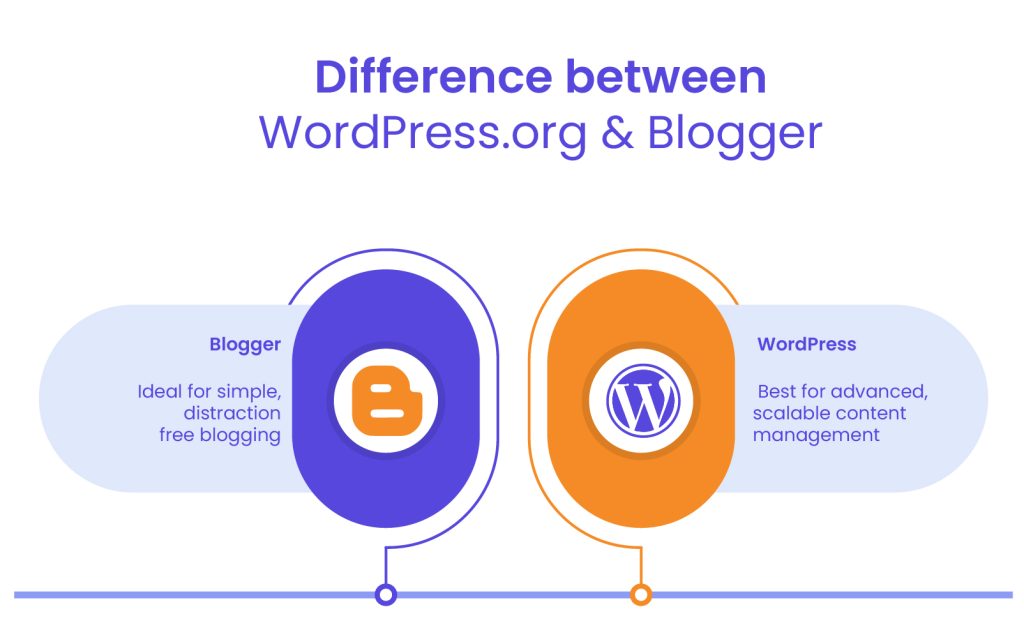
Beyond the basics of publishing text, the tools and features available on your chosen platform will impact everything from content management to audience engagement. Both Blogger and WordPress offer core publishing capabilities, but their depths and breadths vary significantly.
A. Built-In Tools & Core Features
When comparing Blogger vs WordPress, it’s clear that both platforms offer essential blogging tools, but the depth and flexibility of those features vary significantly.
Blogger offers a minimal set of built-in tools such as a basic text editor, image and video uploads, and post scheduling. These features are ideal for users who just want to write and publish without distractions. However, Blogger lacks more advanced content management functions like reusable blocks, custom content types, or media organization.
WordPress, in contrast, is a full-featured content management system. Its media library is robust, supporting image editing, file organization, and integration with cloud storage. The native editor, Gutenberg, allows for block-based content creation with far more control over layout and structure. WordPress also enables users to create and manage categories, tags, menus, and multiple user roles with granular permissions – making it a better fit for content-heavy websites or collaborative teams.
B. Plugin & Widget Ecosystem
A major difference in the Blogger vs WordPress debate is the plugin ecosystem. Blogger has a few simple gadgets and widgets you can add to your sidebar or footer, such as a blog archive, search bar, or profile info. While useful, these features are limited in both scope and customization.
WordPress, on the other hand, thrives on its plugin architecture. With over 60,000 plugins available in the WordPress repository and thousands more from third-party developers, users can easily extend their site’s functionality. Whether it’s adding an SEO tool, a contact form, a security layer, or an eCommerce system, WordPress gives users the ability to build feature-rich websites without needing to write custom code.
C. Integration Capabilities
When it comes to integrations with third-party tools, the gap between Blogger vs WordPress becomes even more noticeable. Blogger integrates well with Google services like Google Analytics, AdSense, and Search Console, which makes sense given that it’s a Google product. However, integration beyond that ecosystem is minimal and often requires workarounds or embedding HTML code manually.
WordPress is built with integration in mind. It supports seamless connections with nearly every popular marketing, analytics, and CRM tool. From embedding social media feeds and connecting email marketing platforms like Mailchimp to advanced integrations with automation tools like Zapier and third-party APIs, WordPress provides far more freedom and scalability for users with complex digital needs.
D. Content Scheduling & Management Options
Both Blogger and WordPress allow users to schedule posts, which is a basic but important feature for anyone planning content in advance. Blogger makes it easy to choose a future publish date and time directly from the post editor, which is helpful for casual users. However, that’s where its scheduling capabilities largely end.
WordPress offers more advanced content management and scheduling features. Users can manage drafts, pending reviews, scheduled posts, and even use editorial calendar plugins to visualize and plan publishing workflows. These features are especially valuable for content teams and businesses that rely on structured content strategies.
Ultimately, in the Blogger vs WordPress comparison, WordPress stands out for users who need a more powerful, flexible, and scalable solution for managing and growing their content.
SEO & Performance Optimization
Insert Image ‘SEO & Performance Optimization’
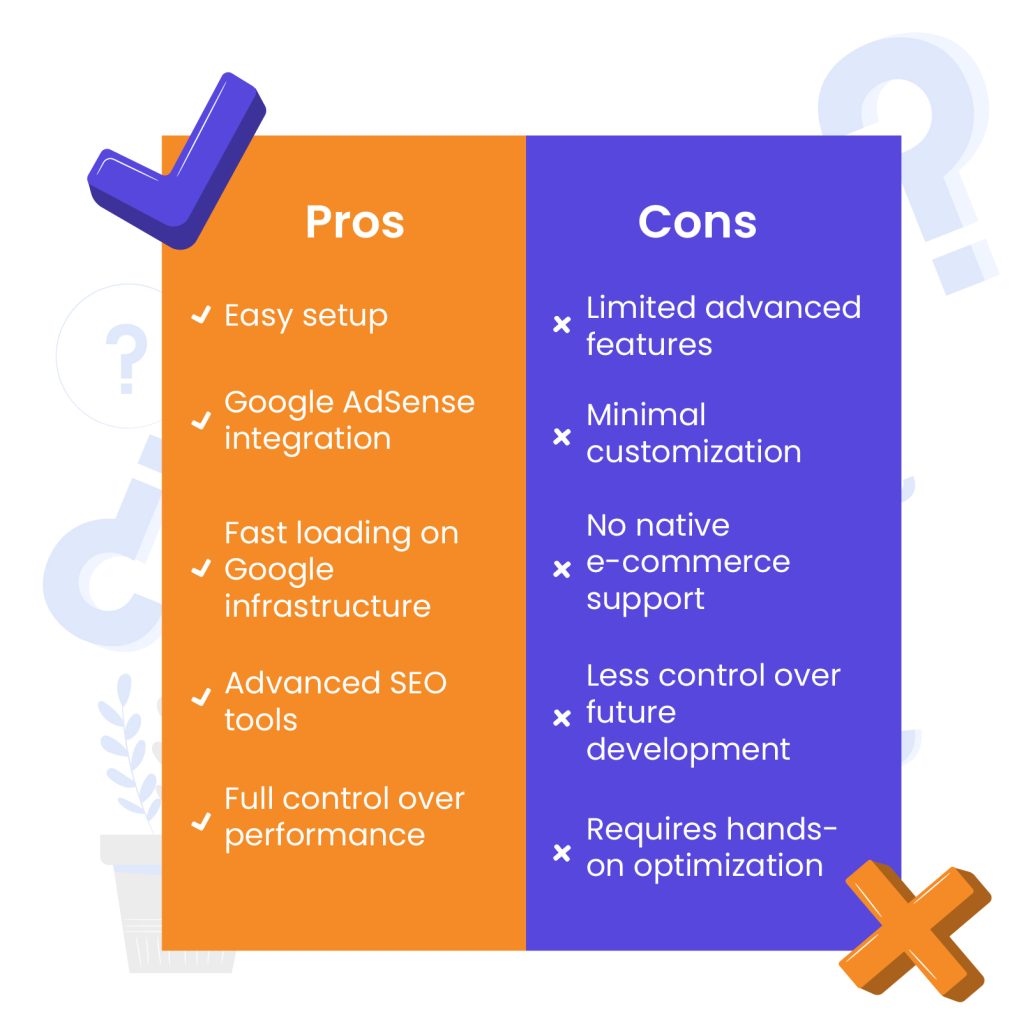
How your platform handles SEO, site speed, and performance optimization directly impacts your ability to grow organic traffic. Let’s examine the search optimization capabilities of both platforms.
A. On-Page SEO Features
When it comes to on-page SEO, the differences between Blogger and WordPress are quite pronounced. Blogger includes basic SEO features out of the box, such as custom permalinks, meta descriptions, and alt text for images. These are helpful for beginners who want to get started quickly without diving into technical SEO. However, Blogger doesn’t offer much in the way of advanced optimization or analysis tools.
WordPress, on the other hand, is highly regarded for its SEO capabilities. Not only does it include all essential SEO functions, but it also supports powerful plugins like Yoast SEO, Rank Math, and All in One SEO Pack. These tools guide users through optimizing their content with readability checks, keyword usage suggestions, schema markup, and more. For those serious about growing organic traffic, WordPress offers a much more robust SEO toolkit.
B. Site Speed & Performance
Performance is a critical factor for both user experience and search engine rankings. Blogger benefits from being hosted on Google’s infrastructure, which means sites typically load quickly and reliably, with minimal setup required. However, the downside is limited control – users can’t optimize performance beyond the standard templates and tools provided.
WordPress gives users full control over site performance. With the right hosting environment and optimization strategies – such as using caching plugins, image compression, and content delivery networks – WordPress sites can achieve exceptional speed. Moreover, users can choose lightweight themes and only install necessary plugins to reduce bloat. While it requires a more hands-on approach, the payoff is far greater control over performance optimization.
C. Best Practices for SEO on Blogger vs. WordPress
To get the most out of Blogger, users should enable custom robots.txt and meta tags, use descriptive titles, and make the most of available SEO settings. However, it doesn’t support the depth of optimization that many modern websites require. That said, for casual bloggers or those writing as a hobby, these basic tools may be sufficient.
With WordPress, SEO best practices can be fully implemented and automated. From optimizing titles and meta tags to generating XML sitemaps and integrating with Google Search Console, WordPress provides everything needed to build a search-friendly site. For users who want their content to be discoverable, scalable, and aligned with long-term SEO strategies, WordPress is the more powerful choice.
Monetization & Business Potential
For many content creators, the ability to generate income from their websites is a primary consideration. Whether through advertising, digital products, or e-commerce, your platform’s monetization capabilities can significantly impact your revenue potential.
A. Advertising & Revenue Models
Both platforms offer ways to generate income, but the range of options differs greatly. One of the easiest ways to monetize a blog is through advertising, and both Blogger and WordPress support this, though in different ways.
Blogger integrates directly with Google AdSense, allowing users to place ads on their blogs with minimal setup. This makes it simple for beginners to start earning from their content. However, beyond AdSense, there are limited advertising options and customization features.
WordPress allows for more flexible monetization strategies. Users can integrate not just AdSense but also a wide range of ad networks, sponsored content platforms, and custom advertising systems. With the right plugins, you can control ad placement, track performance, and optimize revenue.
B. E-commerce & Affiliate Marketing Options
For those looking to expand into selling products or services, the e-commerce capabilities of each platform are important to consider.
- Blogger is not designed for e-commerce. While you can include affiliate links in posts and use PayPal buttons, it lacks native support for online stores.
- WordPress excels in this area. With plugins like WooCommerce, users can create fully functional online stores complete with product pages, shopping carts, payment gateways, and inventory management.
- Affiliate marketing is also more scalable on WordPress, with plugins that help insert, manage, and track affiliate links efficiently.
C. Scalability for Business Growth
When it comes to long-term business potential, WordPress is the clear leader. It can grow alongside your brand, whether you’re building a personal blog, launching a digital product, or running a multi-author publication. You can scale from a basic site to a full-fledged business without needing to switch platforms.
Blogger, while stable and easy to use, isn’t designed to support complex or rapidly growing businesses. Its simplicity becomes a limitation as your goals expand. There’s minimal support for advanced features, and since the platform is owned by Google, users have less control over future development and changes.
In short, if you’re thinking about turning your site into a sustainable business, the flexibility and scalability of WordPress make it a far more powerful platform for growth.
WordPress maintenance plans
WordPress Maintenance Plans ensure site security, performance, and uptime. Choose custom plans with backups, monitoring, and unlimited content edits.
Security, Maintenance & Updates
Keeping your site secure and functioning smoothly requires ongoing attention. The level of maintenance involved and how updates are handled can significantly impact your experience as a site owner. Let’s now look at how Blogger and WordPress approach these critical aspects.
A. Platform Security Features
Security is a major consideration when choosing a blogging or website platform. One of the main benefits of using a fully hosted service is that security is largely managed for you. With a hosted platform like Blogger, users don’t need to worry about software vulnerabilities, server breaches, or installing security patches – Google handles all of that behind the scenes. This makes it a stress-free option for individuals who prefer a hands-off approach to website management.
In contrast, self-hosted platforms like WordPress place the responsibility of security largely in the hands of the user. While this might sound intimidating, it also means more control. Site owners can implement their own security measures such as firewalls, malware scanners, and login protection. Using reputable plugins and choosing a secure hosting provider are critical steps in building a safe and stable site.
B. Maintenance Requirements
Maintenance is minimal on fully hosted platforms. There’s no need to install updates, perform backups, or troubleshoot compatibility issues. The platform handles everything automatically, which is a major advantage for beginners or users who want to focus purely on content creation.
On the other hand, self-managed sites require ongoing attention. Regular updates to themes, plugins, and the core software are necessary to ensure performance and security. Users are also responsible for creating backups and resolving technical issues that may arise from plugin conflicts or server errors. While some of this can be automated, it does require a bit more time and technical understanding.
C. Support Channels & Community-Driven Solutions
Support varies depending on the platform. Fully hosted services offer basic support through help centers and community forums, with limited access to direct customer service. While sufficient for general issues, advanced problems may not always receive quick or detailed responses.
Self-hosted platforms benefit from a massive, global community of users, developers, and support professionals. This means a wealth of online documentation, tutorials, and community forums is available. Many hosting providers also offer dedicated technical support. While there may be a learning curve, the sheer volume of community-driven solutions makes it easier to find help for nearly any issue.
Cost Comparison & Value for Money
Budget considerations often play a major role in platform selection. Understanding the true cost of running a site on either platform helps you make an informed decision that aligns with your financial resources and goals.
A. Free vs. Paid Options
Both platforms offer free entry points, but the value differs. One provides a fully hosted environment with no upfront cost, including free subdomain and storage. The other offers a free software framework but requires users to pay for hosting and domain registration.
B. Hidden Costs & Additional Expenses
Initial costs can be deceiving. With one platform, premium themes, plugins, and advanced features often come at an additional price. Domain registration, hosting fees, and optional tools for backups or SEO can significantly increase total expenses.
C. Long-Term Investment Considerations
Evaluating Blogger vs WordPress from a long-term perspective depends on your goals. A platform with limited features may remain free but restrict growth potential. The other may cost more but offers scalability, flexibility, and better return on investment over time.
Community, Support & Resources
No blogging journey happens in isolation. Access to help, guidance, and community support can be invaluable, especially when facing technical challenges or seeking to expand your skills. Let’s examine the support ecosystems surrounding Blogger and WordPress.
A. Official Documentation & Customer Support
Support varies depending on the platform’s structure. One relies mainly on self-service help centers and basic troubleshooting articles. The other offers both detailed official documentation and access to support through hosting providers or premium service tiers.
B. Active Communities, Forums & Tutorials
Online communities play a huge role in helping users solve problems. There are extensive forums, Facebook groups, YouTube channels, and independent blogs offering tips and walkthroughs for nearly every use case. Whether you’re troubleshooting an issue or looking to build something new, help is rarely more than a search away.
C. Professional Services & Agencies
As the Blogger vs WordPress debate often highlights, one platform has inspired a global economy of professionals. Web developers, designers, and specialized agencies offer tailored services for those who want expert help. From site audits to full-scale redesigns, professional support is widely accessible.
Use Cases & Recommendations
Different platforms serve different needs. Identifying which solution aligns with your specific goals, technical comfort level, and future aspirations is essential for long-term satisfaction. Here’s guidance on which platform might be right for your particular situation.
A. Who Should Choose Blogger?
This platform is best suited for users who want a simple, no-fuss blogging experience. It’s great for casual writers, personal blogs, and those who want to avoid technical maintenance. If you’re just exploring content creation, it provides a low-risk way to get started.
Ideal for:
- Beginners who want to write without managing a website
- Hobby bloggers sharing personal stories
- Users who prefer a free, maintenance-free platform
B. Who Should Choose WordPress?
For users seeking more control, scalability, and professional tools, this platform is a better fit. It supports advanced customization and is suitable for everything from small business sites to large media outlets. It’s built for those who want their website to grow with their goals.
Ideal for:
- Professional bloggers and content creators
- Businesses that need branding and eCommerce options
- Developers and agencies building custom functionality
C. Hybrid Scenarios & Migration Considerations
Some users start with one platform and later outgrow its limitations. Migrating from a simpler setup to a more flexible solution is common as needs evolve. In the Blogger vs WordPress journey, it’s worth planning ahead if long-term growth is part of your strategy.
Final Verdict & Key Takeaways
Insert Image ‘Final Verdict & Key Takeaways’
Choosing the right platform depends on your goals, experience level, and long-term plans. One platform offers simplicity and ease for hobbyists, while the other delivers unmatched flexibility, customization, and growth potential. In the blogger vs wordpress comparison, the best choice comes down to what you need today – and what you’ll need tomorrow.
If you’re a beginner looking for a simple way to publish content, starting with a free, low-maintenance solution might be the right move. But if you’re building a business, managing content at scale, or seeking full design control, a self-hosted solution offers far greater value.
No matter which path you take, making an informed decision now can save time, money, and effort later. For those leaning toward a professional, high-performing WordPress website, consider partnering with White Label Agency. We specialize in scalable WordPress design and development solutions tailored to your exact needs. Contact us to learn how we can help you build or migrate your site with confidence and clarity.
FAQs
1. Is Blogger really free to use?
Yes, Blogger is completely free. You can start a blog using a Google account without paying for hosting or themes.
2. Do I need to pay to use WordPress?
The WordPress software itself is free, but using the self-hosted version requires paying for web hosting and a domain name. Optional premium themes and plugins may also add to the cost.
3. Which is easier for beginners?
Blogger is generally easier to set up and use for absolute beginners. WordPress has a steeper learning curve but offers more flexibility and control.
4. Can I switch from Blogger to WordPress later?
Yes, many users start on Blogger and migrate to WordPress as their needs grow. There are tools and services available to help with the transition.
5. Which platform is better for SEO?
WordPress offers more advanced SEO tools and plugin support, making it the stronger choice for long-term search visibility.
6. Can I monetize my blog on both platforms?
Yes, but WordPress gives you more monetization options, such as multiple ad networks, affiliate tools, and eCommerce integration.
7. What are some good resources to learn more?
For Blogger, check Google’s Blogger Help Center and community forums. For WordPress, explore the WordPress.org documentation, tutorials on WPBeginner, and expert support from agencies like White Label Agency.