


- What is a WordPress Website Audit?
- Why Agencies Should Regularly Audit WordPress Sites
- The Business Benefits of WordPress Website Audits for Agencies
- Key Components of a WordPress Site Audit
- Tools and Plugins for Conducting WordPress Website Audits
- How to Audit a WordPress Site: 3 Essential Steps
- Common Issues Uncovered During a WordPress Website Audit and How to Fix Them
- How to Automate and Streamline WordPress Website Audits for Agencies
- WordPress Website Audit: Conclusion
Maintaining optimal website performance, security, and SEO is essential for agencies managing multiple WordPress sites. A WordPress website audit is a comprehensive evaluation of your site’s performance, security, and SEO health. Regular audits help identify and fix issues that can negatively impact user experience, search engine rankings, and overall site effectiveness.
This blog will guide digital agencies, SEO professionals, and WordPress developers through the critical steps of conducting a thorough WordPress website audit. You’ll learn practical tips, discover essential WordPress audit tools, and understand how to streamline and automate the process.
WordPress maintenance plans
WordPress Maintenance Plans ensure site security, performance, and uptime. Choose custom plans with backups, monitoring, and unlimited content edits.
What is a WordPress Website Audit?
A WordPress website audit is a detailed examination of a website’s performance, security, and SEO factors. It involves using various tools and strategies to analyze the site’s overall health, identify vulnerabilities, and highlight areas for improvement.
For agencies managing multiple WordPress clients, knowing how to audit a WordPress site is crucial for ensuring that each website remains functional, secure, and optimized for search engines. The primary goals of a WordPress website audit are to improve site performance, fix errors, enhance security, and boost SEO rankings.
Why Agencies Should Regularly Audit WordPress Sites
Regular WordPress website audits are essential for agencies. By identifying and resolving issues early, agencies can prevent minor problems from escalating into major disruptions.
Routine audits also help agencies maintain a proactive stance, addressing potential vulnerabilities, enhancing performance, and ensuring compliance with SEO best practices. In the long term, consistent audits lead to better website performance, ultimately boosting the agency’s reputation and revenue.
The Business Benefits of WordPress Website Audits for Agencies
Regular WordPress website audits not only ensure optimal performance, security, and SEO for client websites but also offer significant business advantages for agencies.
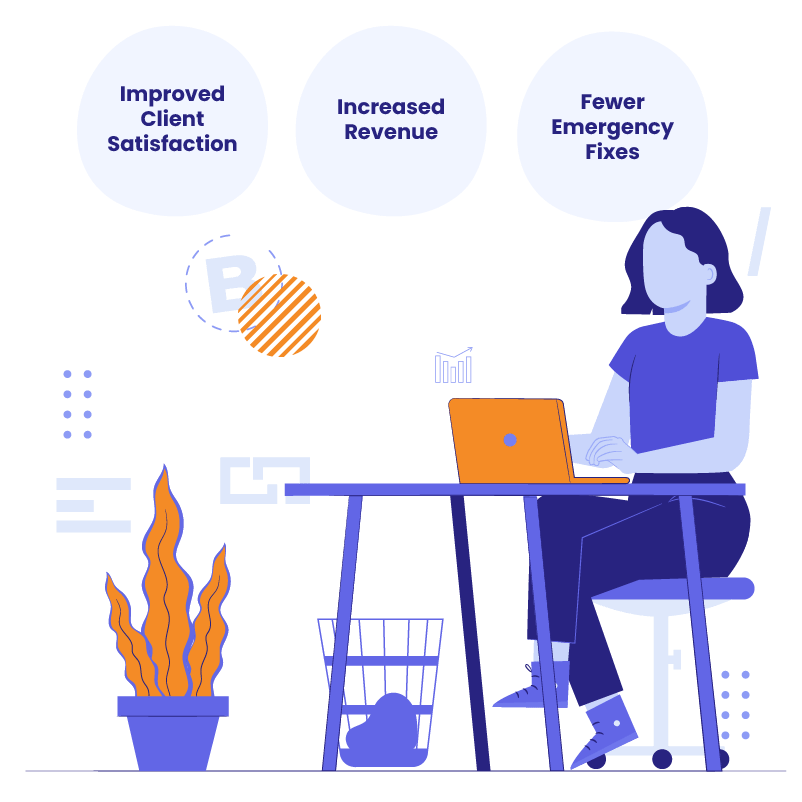
Improved Client Satisfaction
Regular audits allow agencies to proactively address issues, improving site performance and client satisfaction. This leads to better retention rates and opportunities for upselling additional services.
Increased Revenue
Offering WordPress website audits as a service can create new revenue streams for agencies. Bundling audits into maintenance plans adds value and encourages clients to invest in ongoing website health.
Fewer Emergency Fixes
By identifying potential problems early, agencies can prevent costly, last-minute fixes. This proactive approach builds client trust and ensures smoother, more predictable operations.
Key Components of a WordPress Site Audit
A comprehensive WordPress website audit includes several key components: SEO, performance, security, and mobile responsiveness. Let’s explore each area in detail.
SEO Audit

Crawling and Indexing
Ensuring your website is correctly crawled and indexed by search engines is critical. Use WordPress audit tools to identify crawl errors, indexing issues, and duplicate content that could affect your site’s visibility. Regularly checking for these issues will help maintain a clean and efficient website structure.
On-Page SEO
On-page SEO elements, such as title tags, meta descriptions, keyword usage, and schema markup, play a significant role in search visibility. Review these components to ensure they are optimized for your target keywords. Tools like Yoast SEO or Rank Math can assist in identifying areas for improvement.
Content Quality
High-quality content is essential for SEO success. Conduct a content audit to identify outdated posts, content gaps, and areas where keyword optimization can be enhanced. Focus on readability and ensure that your content provides value to the audience.
Backlink Profile
A strong backlink profile boosts your site’s authority and SEO rankings. Use WordPress audit tools to analyze your backlink profile, identify and disavow spammy links, and ensure that your backlinks are from reputable sources.
Internal Linking Structure
Effective internal linking improves site navigation and helps search engines understand your site’s structure. Review internal links to ensure they are relevant, logical, and contribute to a positive user experience.
Performance Audit

Page Speed & Core Web Vitals
Website speed performance significantly impacts user experience and SEO rankings. Use WordPress performance optimization tools to identify issues with load times, unoptimized images, and excessive CSS/JS. Optimize these elements to enhance your site’s performance, focusing on metrics like time to first byte (TTFB) and Largest Contentful Paint (LCP).
Hosting Environment
The hosting environment plays a crucial role in website performance. Evaluate your server’s uptime, speed, and capacity to handle traffic spikes. Ensure that your hosting provider offers reliable performance suitable for high-traffic WordPress sites.
Caching and CDN
Implementing proper caching and using a Content Delivery Network (CDN) can significantly boost your site’s speed. Tools like WP Rocket for caching and Cloudflare for CDN services can help deliver content faster to users around the world, enhancing WordPress speed optimization.
Security Audit

Vulnerability Scan
Security is a top priority for any WordPress website. Use security plugins to perform regular scans for vulnerabilities, outdated plugins, and weak passwords. Addressing these issues promptly helps protect your site from potential threats.
SSL and HTTPS
Ensure that your site is secure with SSL and that all pages load via HTTPS. This not only enhances security but also builds trust with your users and positively impacts SEO.
User Roles and Permissions
Review user roles and permissions to prevent unauthorized access. Ensure that each user has the appropriate level of access based on their responsibilities, minimizing security risks.
Mobile Responsiveness

Mobile-Friendliness
With the increasing use of mobile devices, it’s vital that your website is fully responsive. Use Google’s Mobile-Friendly Test to evaluate your site’s mobile performance and make necessary adjustments to improve the user experience on all devices.
Mobile SEO
Optimize for mobile-specific SEO by implementing Accelerated Mobile Pages (AMP), structured data, and enhancing the overall mobile user experience. Ensuring that your mobile site loads quickly and is easy to navigate will improve both user satisfaction and search engine rankings.
Tools and Plugins for Conducting WordPress Website Audits
Conducting a comprehensive WordPress website audit requires the right set of tools to effectively analyze and improve various aspects of a site. Below, we break down essential WordPress audit tools and plugins that can help agencies streamline the auditing process and deliver actionable insights to their clients.
SEO Tools
- Ahrefs: Ahrefs offers an in-depth analysis of backlink profiles, keyword rankings, and SEO health. It includes WordPress website auditing, competitor analysis, and keyword research, making it a versatile tool for improving search visibility.
- Moz: Moz provides SEO tools for on-page analysis, keyword tracking, and performance monitoring. Its site audit tool identifies crawl errors and duplicate content, with an easy-to-use interface and actionable insights.
- SEMrush: SEMrush is a comprehensive marketing platform that covers SEO, PPC, and content marketing. Its site audit capabilities include checks for broken links, site speed, and on-page SEO, along with keyword and backlink reports.
- Screaming Frog: Screaming Frog crawls websites to identify issues like broken links, missing meta tags, and duplicate content. It’s ideal for technical SEO audits, offering detailed reports to improve site structure.
Performance Tools
- Google PageSpeed Insights: Analyzes page content and offers suggestions to improve speed for mobile and desktop. It provides recommendations for image optimization, caching, and reducing server response times.
- GTMetrix: Combines data from Google PageSpeed and YSlow to analyze performance, offering insights into load times and bottlenecks, along with actionable recommendations to boost speed.
- WP Rocket: A premium caching plugin that enhances site speed with features like page caching, GZIP compression, and lazy loading. Known for its user-friendly setup, it significantly reduces load times without complex configuration, aiding in WordPress performance optimization.
Security Tools
- Wordfence: A security plugin that offers a firewall, malware scanning, and live traffic monitoring to protect against brute force attacks and malicious IPs, providing a comprehensive security solution.
- Sucuri: A cloud-based security platform offering a firewall, malware removal, and performance optimization. It shields against threats like DDoS attacks and malware, enhancing security and performance.
- iThemes Security: Provides robust security with over 30 features, including two-factor authentication and brute force protection. It offers detailed security reports to keep your site safe from threats.
WordPress security services
Secure your WordPress site with expert services, including malware removal, monitoring, and custom solutions to safeguard your website from threats.
General Audit Tools
- WPScan: A WordPress-specific security scanner that checks for vulnerabilities in core files, themes, and plugins, providing actionable recommendations for enhancing site security.
- Sitebulb: An advanced audit tool that covers SEO, performance, accessibility, and security. It delivers clear, actionable insights and visualizations to help prioritize fixes.
- ManageWP: A management tool for multiple WordPress sites, offering automated backups, performance checks, and security scans. It simplifies WordPress website audits and helps maintain high standards across all client websites.
How to Audit a WordPress Site: 3 Essential Steps
Conducting a WordPress website audit requires a systematic approach to ensure all critical aspects of a website are thoroughly examined. Here is how to how to audit a WordPress site:
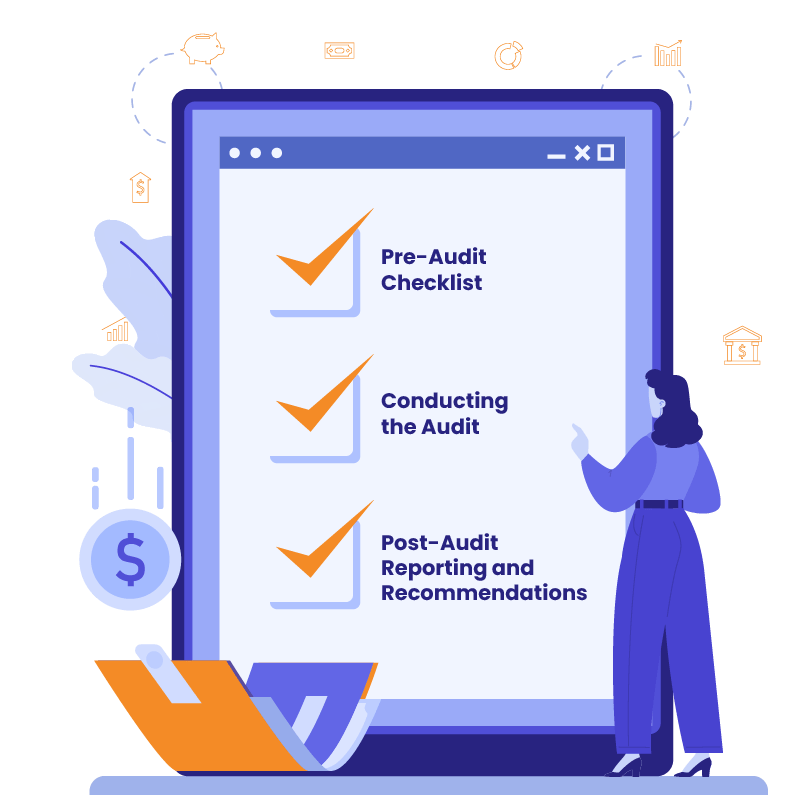
Pre-Audit Checklist
Before starting the audit, ensure you have a full backup of the website, access to all necessary tools, and a clear understanding of your client’s priorities and goals.
Conducting the Audit
Follow the key components outlined above, using the relevant WordPress audit tools to perform a thorough analysis of SEO, performance, security, and mobile responsiveness.
Post-Audit Reporting and Recommendations
Compile the audit findings into a detailed report with actionable insights and recommendations. Highlight areas that need improvement, provide solutions, and emphasize measurable benefits to demonstrate the value of your service to clients.
Common Issues Uncovered During a WordPress Website Audit and How to Fix Them

Running a WordPress website audit can reveal a bunch of common hiccups that might be holding your website back.
- Slow Loading Times: Common causes of slow load times include unoptimized images, excessive HTTP requests, and lack of caching. Address these by optimizing media, reducing server requests, and implementing caching solutions for better WordPress speed optimization.
- Outdated Plugins/Themes: Outdated plugins and themes pose security risks. Regularly update them, and test updates on a staging environment before applying them to the live site.
- Broken Links: Broken links harm SEO and user experience. Use tools like Ahrefs or Broken Link Checker to identify and fix these links promptly.
How to Automate and Streamline WordPress Website Audits for Agencies
Efficiently managing WordPress website audits can be challenging for agencies handling multiple client sites, but automation can significantly streamline the process. This section explores how agencies can use automated tools and maintenance plans to simplify audits, improve site health, and deliver consistent value to clients while highlighting how White Label Agency (WLA) can support these efforts with comprehensive, tailored services.
Automated Monitoring Tools
Managing multiple WordPress sites can be time-consuming, especially when regular audits are required to maintain optimal performance and security. Automation tools like ManageWP, MainWP, or InfiniteWP can help agencies by providing ongoing monitoring, performance checks, and security scans. These tools allow agencies to automate repetitive WordPress website audit tasks, saving time and reducing the likelihood of human error.
WordPress security scan
WLA’s WordPress security scan offers maximum protection & streamlined integration for agencies. Follow for more – let’s protect your customers and build trust.
However, setting up and managing these tools can be complex, especially when dealing with a large portfolio of client websites. This is where the White Label Agency (WLA) steps in. At WLA, we offer comprehensive maintenance plans that include automated monitoring and auditing services, allowing your agency to focus on growth and client acquisition rather than the technical details of site management.
Scheduled Audits
Regularly scheduled audits, such as monthly or quarterly checks, are essential to ensure continued website health and performance. WLA provides tailored maintenance plans that incorporate these audits as part of our service offering. By scheduling routine audits, WLA ensures that your client’s websites are always performing at their best, reducing the risk of unexpected issues and enhancing overall client satisfaction.
Using Maintenance Plans to Bundle Audits
Bundling regular audits into your WordPress maintenance plans not only adds value for your clients but also positions your agency as a proactive partner in their digital success. WLA’s maintenance services are designed to include these critical audits, offering agencies a seamless way to integrate ongoing site health checks into their service packages.
By partnering with WLA, agencies can offer their clients a premium, hassle-free solution that covers all aspects of WordPress site maintenance—from performance optimization and security checks to content updates and SEO improvements.
WordPress Website Audit: Conclusion
Regular WordPress website audits are a crucial service for agencies managing multiple client sites, helping to ensure that websites perform optimally, remain secure, and stay aligned with the latest SEO best practices. By conducting thorough audits and addressing issues proactively, agencies can significantly enhance client satisfaction, create new revenue streams, and reduce the need for costly emergency fixes.
Partnering with a reliable provider like White Label Agency allows agencies to streamline the audit process, automate ongoing maintenance tasks, and offer a comprehensive, high-value service to clients. Contact us today, start integrating WordPress website audits into your agency’s offerings today, and empower your clients with websites that are secure, fast, and SEO-friendly.


