
- What Is Content Management?
- How Does a CMS Work?
- WordPress website building
- Types of CMS Systems
- CMS Use Cases Across Industries
- Choosing the Right Content Management System (CMS) for Your Business
- CMS vs. Traditional Website Management
- WordPress as a CMS: Why It’s the Best for Customization and Flexibility
- The Future of Content Management Systems
- Website as a service
- Optimize Your Operations: Choose the Right CMS
A Content Management System (CMS) is a software application that enables users to create, manage, and modify digital content without requiring specialized coding knowledge. Whether you’re running a blog, an eCommerce store, or a business website, a CMS simplifies the process of managing content. It provides a user-friendly interface, allowing non-technical individuals to effortlessly update their websites without the need to hire a developer.
The true power of a CMS system lies in its ability to streamline website management for businesses of all sizes. It offers an intuitive experience, reducing both the time and cost associated with maintaining digital content. With a CMS, you can focus on growing your business rather than getting bogged down in technical details.
For businesses and web developers alike, understanding what a content management system is and how it works can be the key to optimizing website performance and improving the user experience.

What Is Content Management?
Content management is the cornerstone of digital presence for modern businesses. It encompasses:
- Creating
- Organizing
- Storing
- Distributing
digital content across a variety of platforms, including websites, social media, blogs, and other digital assets.
A content management system (CMS) simplifies this process by providing a centralized platform for managing content. Rather than handling each channel individually, businesses can use a CMS system to create, edit, and publish content seamlessly across different platforms. This centralization not only reduces manual effort but also helps in maintaining uniformity across channels.
In the digital age, businesses often deal with vast amounts of content across multiple platforms. Whether it’s product descriptions, blog posts, or social media updates, having an efficient content management process in place ensures that all content aligns with the company’s goals. A CMS system becomes the cornerstone of this approach, allowing both technical and non-technical users to efficiently manage digital content without needing deep technical expertise.

How Does a CMS Work?
A content management system (CMS) operates through a combination of front-end and back-end interactions, enabling users to create, store, and manage content efficiently. At its core, a CMS relies on databases to store information, which is then displayed on the front end for users to interact with.
In simple terms, here’s how a CMS system works:
- Content Creation: The first step is creating content. Using CMS tools, users can easily draft blog posts, upload images, and add pages through a user-friendly interface, eliminating the need to code. This content is then stored in the CMS database.
- Content Storage: Once the content is created, the CMS stores it in a structured database. This allows for easy retrieval and management. The CMS also handles media files, meta-data, and other assets, making it easy to organize large amounts of content.
- Content Management: The back end of the CMS provides an administrative dashboard where users can edit, update, or delete content. Users can also manage user permissions, ensuring that only authorized individuals can make changes. This makes it easier for businesses to manage who has control over their content.
- Content Display: The CMS pulls content from the database and displays it on the front end, allowing website visitors to see the latest updates in real time. This process ensures that changes made in the back end are instantly reflected on the website.
By using CMS tools, businesses can streamline their content management processes, making it simpler to maintain websites without needing extensive technical knowledge. In essence, a content management system bridges the gap between content creation and publication, allowing businesses to focus on delivering value to their audience.
WordPress website building
Enhance your agency’s offerings with expert WordPress website building services. We design, develop, and maintain fast and responsive WordPress sites.
Types of CMS Systems
When choosing a CMS, it’s important to understand the different types available. Each type of CMS offers distinct benefits, use cases, and flexibility, depending on your business needs. Below, we explore various CMS system options and provide content management system examples to help you decide which is the best fit for your website.
1. Open-Source CMS
Examples: WordPress, Joomla, Drupal
An open-source CMS system is free to use and offers significant flexibility through customization. Platforms like WordPress, Joomla, and Drupal are highly popular for their large plugin libraries and developer communities.
Benefits: Open-source CMS tools provide users with the freedom to modify the source code, add custom features, and control every aspect of their website. They are ideal for businesses or developers who want a high degree of customization.
Use Case: Best suited for blogs, small businesses, and large-scale websites that need specific functionalities.
2. Proprietary CMS
Examples: Sitecore, Squarespace, Wix
A proprietary CMS system is owned and maintained by a private company. Users pay a subscription fee and get access to support, updates, and maintenance. Platforms like Squarespace and Wix are designed for ease of use, making them a great choice for non-technical users.
Benefits: Proprietary CMS tools often come with built-in templates, hosting, and security features, reducing the complexity of managing a website.
Use Case: Ideal for small businesses, portfolios, or personal websites where ease of use and support are top priorities.
3. Cloud-Based CMS
Examples: Contentful, Adobe Experience Manager
Cloud-based CMS systems are hosted on the cloud, offering a more scalable and flexible solution. These systems allow users to manage content from anywhere and offer enhanced collaboration tools for teams.
Benefits: Easy scalability, faster deployment, and access from any device. These CMS tools are often highly secure and are maintained by the provider.
Use Case: Suitable for larger businesses or enterprises looking for a scalable solution to manage vast amounts of content across multiple channels.
4. Headless CMS
A headless CMS separates the front end (presentation layer) from the back end (content management). This means the content is managed in the CMS but can be displayed on any platform, such as websites, mobile apps, or IoT devices.
Benefits: Flexibility in delivering content across multiple platforms without being tied to one specific framework.
Use Case: Perfect for businesses that need to distribute content to multiple platforms, such as websites, mobile apps, and digital signage.
5. Hybrid CMS
A hybrid CMS combines elements of both traditional and headless CMS. It offers the flexibility of a headless CMS while maintaining the user-friendly interface of a traditional system.
Benefits: Provides a balance between flexibility and ease of use, allowing businesses to manage content efficiently while distributing it across multiple platforms.
Use Case: Ideal for companies looking to streamline content management across various channels but still prefer a traditional interface for ease of use.
There are many content management system examples available, each with its own strengths. The choice depends on your business goals, technical expertise, and the complexity of your content needs.
With so many options available, WordPress stands out as the most trusted and widely used platform because it combines ease of use, extensive customization options, and strong community support. WordPress boasts a massive global community of developers, meaning you’ll never be short of CMS tools or support to help you manage your website.
CMS Use Cases Across Industries
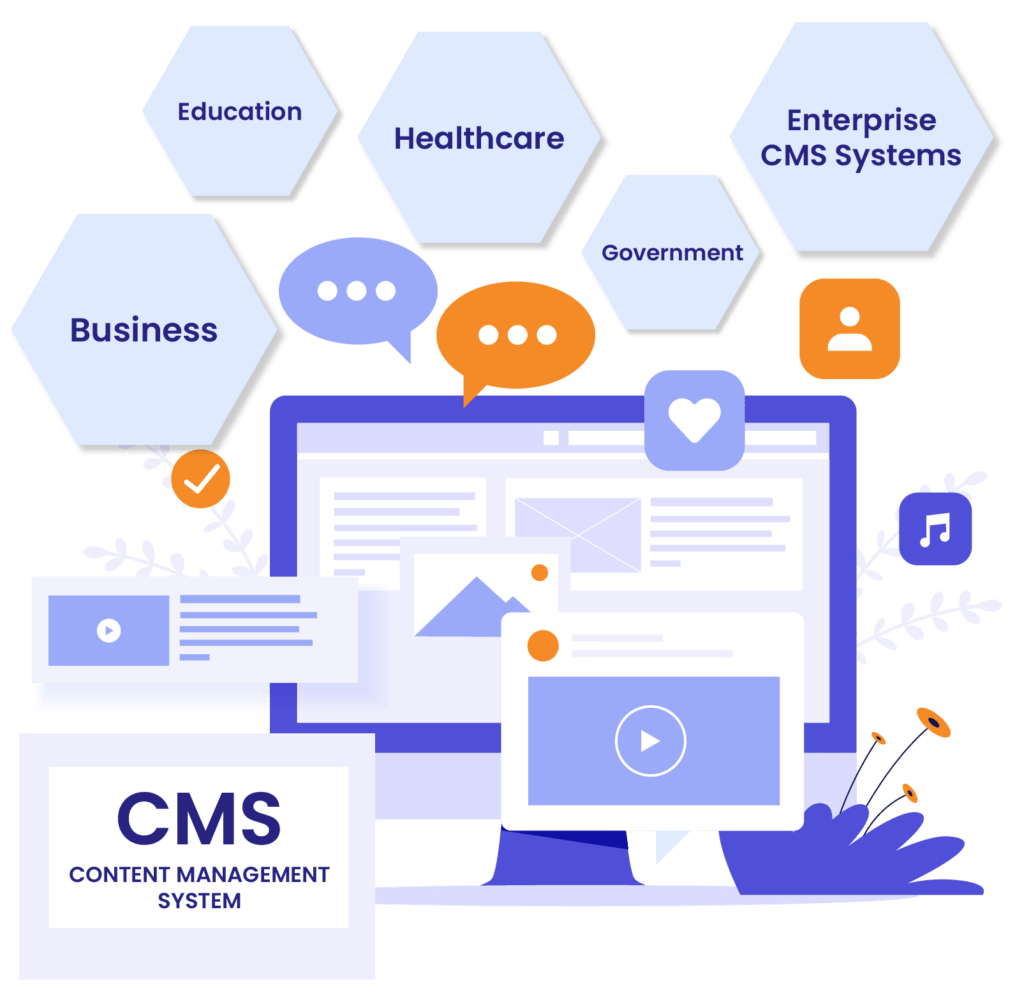
A CMS plays a vital role in various industries, offering unique solutions to specific content management challenges. Let’s explore how different sectors leverage CMS systems to streamline operations, enhance user experience, and improve efficiency.
1. Business
In the business world, especially in e-commerce, marketing, and content strategy, a CMS allows companies to create and manage large volumes of content easily. E-commerce platforms, for example, can use CMS tools like WooCommerce or Shopify to manage product listings, images, pricing, and inventory.
Use Case: Businesses benefit from streamlined workflows, better content collaboration, and the ability to implement SEO and marketing strategies more effectively. This helps in driving traffic, improving customer engagement, and increasing sales.
2. Education
In the education sector, the CMS system often functions as a Learning Management System (LMS), enabling institutions to organize and deliver educational content. Content management systems like Moodle and Blackboard provide educators with the tools to create courses, track student progress, and share resources with students.
Use Case: With a CMS, educational institutions can provide an online learning experience, manage course materials efficiently, and ensure a smooth interaction between students and teachers, regardless of geographical barriers.
3. Healthcare
The healthcare industry uses CMS systems to manage vast amounts of patient information and streamline the flow of critical data. Patient management systems powered by a CMS can help hospitals and clinics store medical records, schedule appointments, and provide online access to health records.
Use Case: This results in better patient care, enhanced data security, and simplified administration processes, allowing healthcare professionals to focus more on their patients rather than on paperwork.
4. Government
Government organizations rely on CMS tools to manage public data, documents, and communications. With a CMS system, government agencies can publish information, track document changes, and manage large volumes of public data across various platforms.
Use Case: CMS systems help governments improve transparency, streamline internal processes, and ensure that public documents are accessible, current, and easy to find for citizens.
5. Enterprise CMS Systems
Large organizations often need robust enterprise CMS systems that can handle complex content management needs across multiple departments and regions. These systems, like Sitecore and Adobe Experience Manager, offer advanced capabilities for managing content at scale.
Use Case: Enterprises benefit from centralized content management, ensuring brand consistency, improving collaboration across departments, and providing a seamless experience for users across multiple platforms. This makes large-scale content operations more efficient and cost-effective.
In every industry, a CMS plays a critical role in improving operational efficiency, enhancing user experience, and reducing the manual effort involved in managing content. With a wide variety of content management system examples available, businesses and organizations can choose the CMS system that best fits their unique needs.

Choosing the Right Content Management System (CMS) for Your Business
Selecting the right CMS is crucial to your business’s success, as it impacts everything from content creation to website management. Here are key factors to consider when evaluating a CMS system, along with use cases for different business types.
– Scalability
As your business grows, your CMS system should be able to handle increased traffic and content demands. For small businesses, platforms like WordPress offer a cost-effective solution that can scale as your content needs expand. For large enterprises, robust CMS tools like Adobe Experience Manager or Sitecore can handle vast amounts of content across multiple sites and regions.
Use Case: Small businesses may prioritize scalability to ensure their site can handle future growth, while enterprises need a system capable of managing content on a large scale.
– Ease of Use
The best CMS should be user-friendly, allowing non-technical users to update and manage content without requiring coding expertise. Platforms like WordPress and Squarespace are known for their intuitive interfaces, making them ideal for small businesses and marketers.
Use Case: For marketers and small business owners, a simple-to-use CMS reduces reliance on developers and speeds up content publishing.
– Support and Community
When evaluating a CMS system, consider the level of support available. Open-source platforms like WordPress and Joomla have large communities that provide extensive resources and troubleshooting assistance. Proprietary CMS tools, such as Wix or Squarespace, offer dedicated customer support.
Use Case: Small businesses and marketers may prefer platforms with strong community support or customer service, while developers and enterprises may seek systems that offer technical documentation and professional support options.
– Flexibility and Customization
A flexible CMS allows you to adapt your website to your business needs. Open-source platforms like WordPress, Joomla, and Drupal offer extensive customization options through plugins and themes, making them highly adaptable. Proprietary systems may have fewer customization options but provide built-in features and templates.
Use Case: Developers often prefer platforms like WordPress or Drupal for their high level of customization, while small businesses might choose platforms with pre-built themes and templates that meet their needs out of the box.
– Security
Security is a critical concern, especially for businesses that handle sensitive data. Open-source CMS tools like WordPress offer security plugins, but they require regular updates and management. Proprietary CMS systems like Wix or Sitecore often have built-in security features and maintenance, which simplifies security management for the end user.
Use Case: Enterprises and eCommerce businesses should prioritize platforms with robust security measures, while smaller businesses may benefit from simpler systems that handle security updates automatically.
– CMS Customization and Third-Party Integrations
One of the strengths of a CMS system is its ability to integrate with other tools. From eCommerce platforms to CRM software, a flexible CMS should allow for seamless third-party integrations. WordPress, for example, supports thousands of plugins and can integrate with tools like HubSpot, WooCommerce, and Google Analytics.
Use Case: Developers and marketers alike benefit from CMS tools that offer a wide range of third-party integrations, enabling them to create a personalized, feature-rich website.
When evaluating CMS examples, the ideal choice depends on your business size, goals, and technical requirements. For small businesses seeking an easy-to-use platform, developers in need of customization, or enterprises prioritizing security and scalability, there is a CMS system to suit your needs. In most cases, WordPress stands out for its flexibility, extensive library of plugins and themes, and strong community support, making it the perfect fit for businesses of all sizes.
CMS vs. Traditional Website Management
When managing a website, you can either build it from scratch or use a content management system (CMS). Both approaches have their pros and cons, but a CMS system is often more efficient, cost-effective, and user-friendly.
Building Websites from Scratch
Building a site from scratch requires coding skills in languages like HTML, CSS, and JavaScript. This method allows for complete customization but demands significant time, technical expertise, and resources. Updates and changes also require manual coding, which can delay content updates and increase costs.
Use Case: Best for highly specific or complex websites requiring full control and long-term developer support.
Using a CMS System
A CMS like WordPress enables users to build and manage websites without coding. With ready-made templates, plugins, and CMS tools, websites can be launched and updated quickly.
Advantages:
- Time-Saving: Pre-built templates and drag-and-drop features allow for rapid website development and easy updates.
- Cost-Effective: A CMS eliminates the need for a full-time developer, reducing costs significantly.
- User-Friendly: Non-technical users can easily manage and update content, ideal for small businesses and marketers.
Use Case: Perfect for businesses that need a professional website without the hassle of coding, and for those looking to save on time and costs. WordPress, as one of the leading content management system examples, provides flexibility and ease of use for users of all skill levels.
WordPress as a CMS: Why It’s the Best for Customization and Flexibility
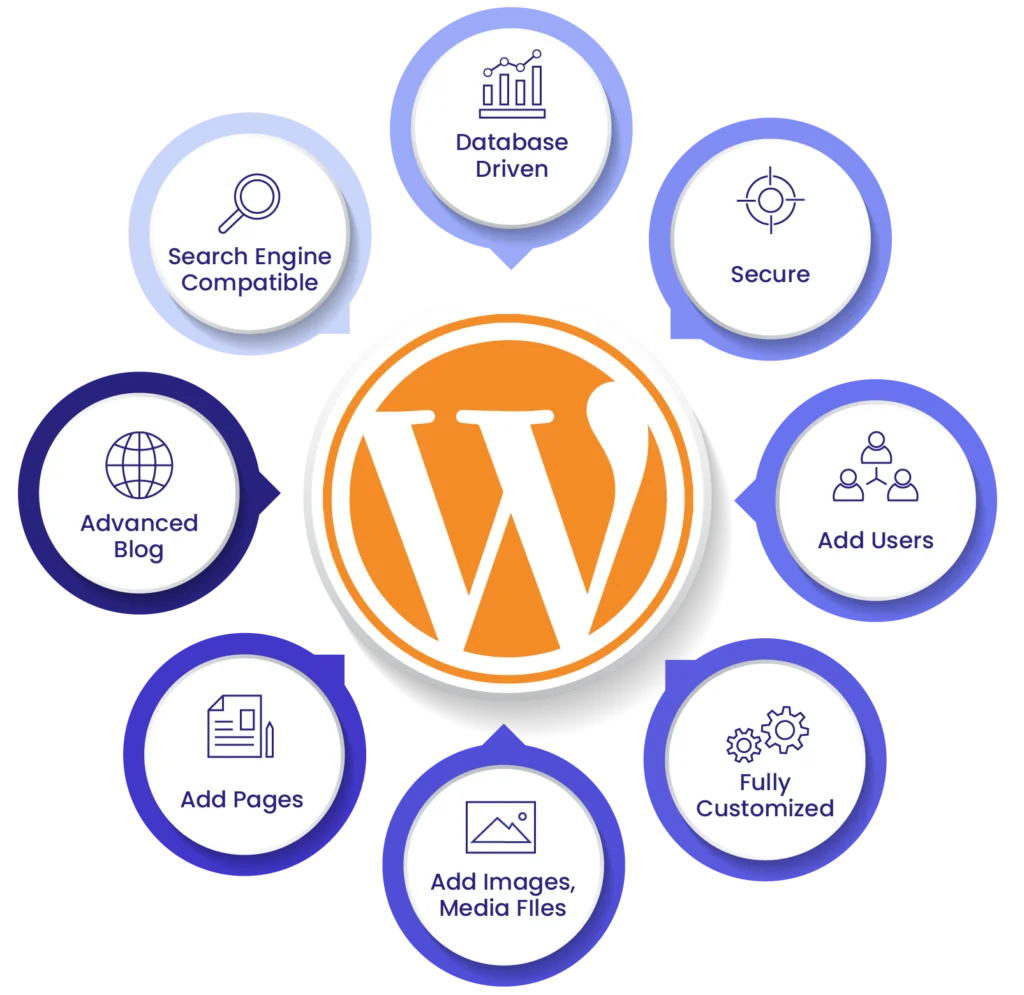
As the most widely used content management system (CMS) in the world, WordPress powers over 43% of websites globally. Its unmatched flexibility allows users to create everything from small personal blogs to large eCommerce sites, making it a go-to choice for businesses of all sizes.
Customization with Themes and Plugins
One of the key reasons WordPress stands out is its vast ecosystem of themes and plugins:
- Thousands of free and premium themes
- 50,000+ CMS tools in the plugin library for (SEO; E-Commerce, Security, etc.)
- Advanced features without a development team
This customization enables WordPress to meet the needs of any business, regardless of industry.
WordPress Multisite Feature
A lesser-known but powerful feature of WordPress is its multisite functionality. Ideal for:
- Agencies
- Universities
- Large enterprises with multiple branches
Few content management system examples offer such seamless multisite management, making WordPress a standout option for businesses that need to oversee multiple sites efficiently.
WordPress as a Headless CMS
For those looking for more advanced customization, WordPress can be used as a headless CMS. This approach separates the front-end and back-end, allowing developers to use cutting-edge technologies like React or Gatsby for faster, more dynamic user experiences. The combination of WordPress’s robust content management and decoupled front-end technologies positions it as a flexible option for modern web development.
SEO Benefits with WordPress
WordPress excels in content management by offering built-in SEO features and plugins like Yoast SEO, which make it easy to optimize content for search engines. These tools simplify tasks like keyword integration, meta tag creation, and sitemap generation, giving businesses an SEO edge over other CMS systems.
Security and Scalability of WordPress
With the right plugins and practices, WordPress can handle high-traffic websites while maintaining top-tier security. Popular plugins like Wordfence and Sucuri add layers of protection to prevent vulnerabilities, while WordPress’s scalability makes it ideal for growing businesses that need their website to expand with them.
WordPress Maintenance and Custom Development
Long-term CMS system maintenance is another area where WordPress shines. Its user-friendly interface, combined with a vast developer community, makes it easy to continuously update and expand your site. Whether you need custom development or just routine updates, WordPress allows businesses to evolve without major technical hurdles.
WordPress is not just a CMS; it’s an adaptable platform that offers unparalleled customization, flexibility, and scalability – making it the best CMS choice for businesses of all sizes.

The Future of Content Management Systems
As technology continues to evolve, the future of the CMS landscape will be shaped by AI, automation, and increasingly sophisticated CMS tools that make content delivery more personalized and efficient. Below are some key trends and innovations expected to redefine what is content management in the years ahead.
AI-Powered CMS and Automation
AI will automate tasks like content creation, personalization, and SEO optimization. Future CMS tools will predict user preferences, streamline workflows, and enhance efficiency. This will allow businesses to deliver more targeted, personalized content quickly and easily.
Personalized Content Delivery
With AI and machine learning, future CMS systems will tailor content based on user behavior in real time, improving engagement. This level of personalization will enable businesses to provide a better user experience across multiple devices and platforms.
The Rise of Headless CMS
Headless CMS platforms, which separate the back end from the front end, are becoming increasingly popular. They offer flexibility, allowing content to be delivered across various devices, from websites to mobile apps. This trend is expected to grow as businesses seek more adaptable solutions for content management.
Emerging Trends
- Voice Search Optimization: CMS platforms will adapt to support content optimized for voice-activated devices.
- AR/VR Integration: The future CMS system will support immersive content experiences with augmented and virtual reality.
- Blockchain: Blockchain technology may improve security and content ownership in CMS platforms.
As the CMS system evolves, these trends will shape the future of what is content management, enabling businesses to manage and deliver content in smarter, more personalized ways.
Website as a service
Website As a Service [WAAS] provides complete website solutions including design, hosting, and maintenance through a convenient subscription model for Agencies.
Optimize Your Operations: Choose the Right CMS
A CMS is essential for businesses to efficiently create, manage, and distribute content across multiple platforms. Whether you’re running a small blog or managing an enterprise-level site, the right CMS system can streamline operations, save time, and enhance your online presence.
By understanding what content management is, businesses can choose the best platform to meet their needs. From customizable themes and plugins to powerful CMS tools that enable seamless integration, a well-chosen CMS provides flexibility and scalability as your business grows. Content management system examples like WordPress, Joomla, and headless CMS platforms offer unique benefits, ensuring there’s a solution for every type of business.
Selecting the right CMS depends on factors such as scalability, ease of use, and specific business requirements. For businesses seeking expert guidance, the White Label Agency offers expertise in helping companies implement and maintain WordPress CMS systems. Our team ensures that your business maximizes the benefits of a tailored content management solution. Contact us today and let us help to implement WordPress for your business needs.